


FOR VEHICLE INSPECTION CENTRES
Professional
BODYWORK1,000 pointsDetailed panel inspection
ENGINEPerformanceMechanical tests
ELECTRONICSSystem checksFault records
Professional
Vehicle Inspection Software
Manage your entire vehicle inspection operation on one platform. From vehicle intake to QR-enabled reports, your team works in one dashboard and customers can access their results with ease.
✓ Desktop, tablet and mobile access · Unlimited SMS and registration document scanning
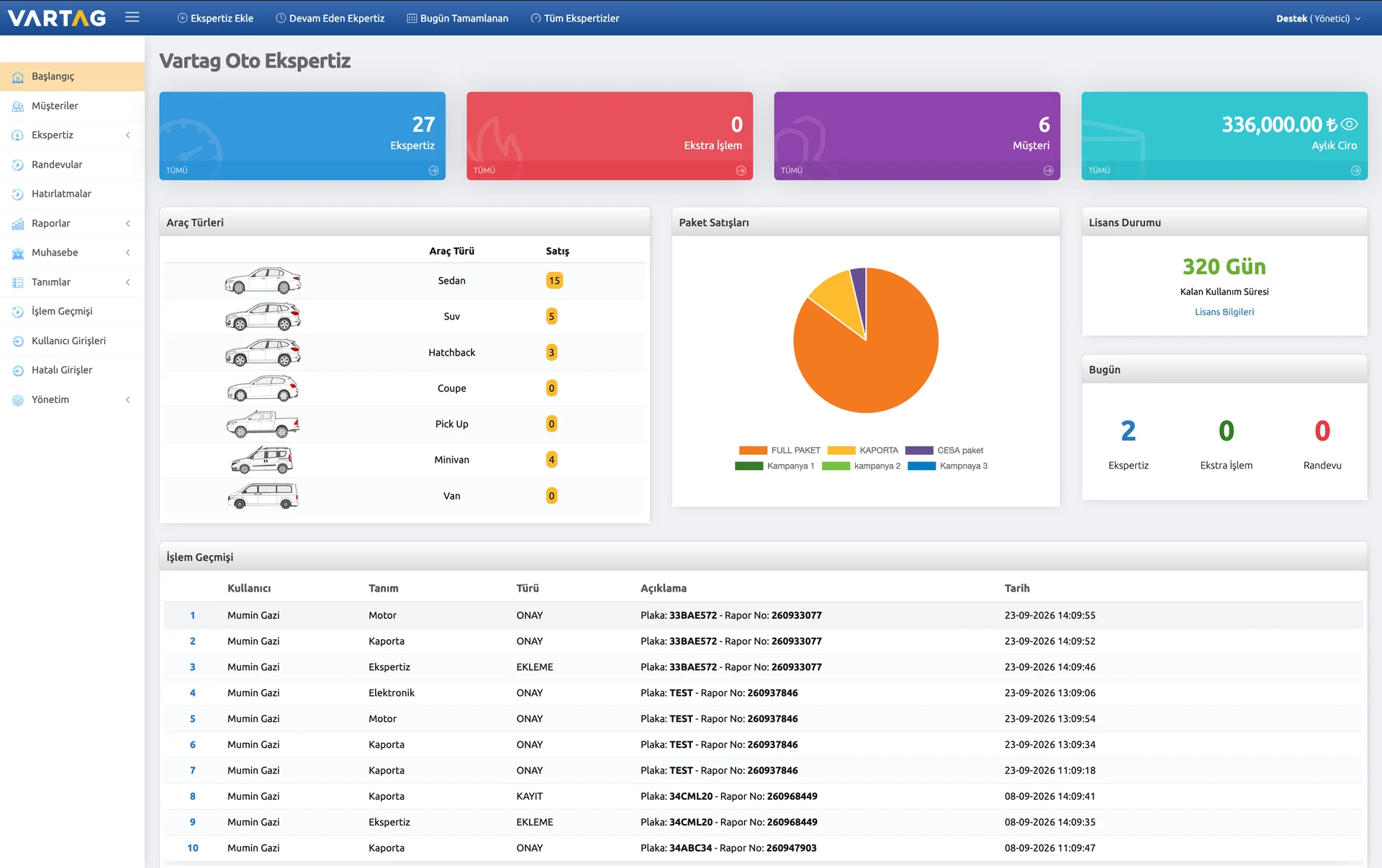
ONE PLATFORM FOR THE ENTIRE INSPECTION WORKFLOW
1 / 5
VARTAG / ACTUAL PRODUCT SCREENS SAMPLE REPORTS

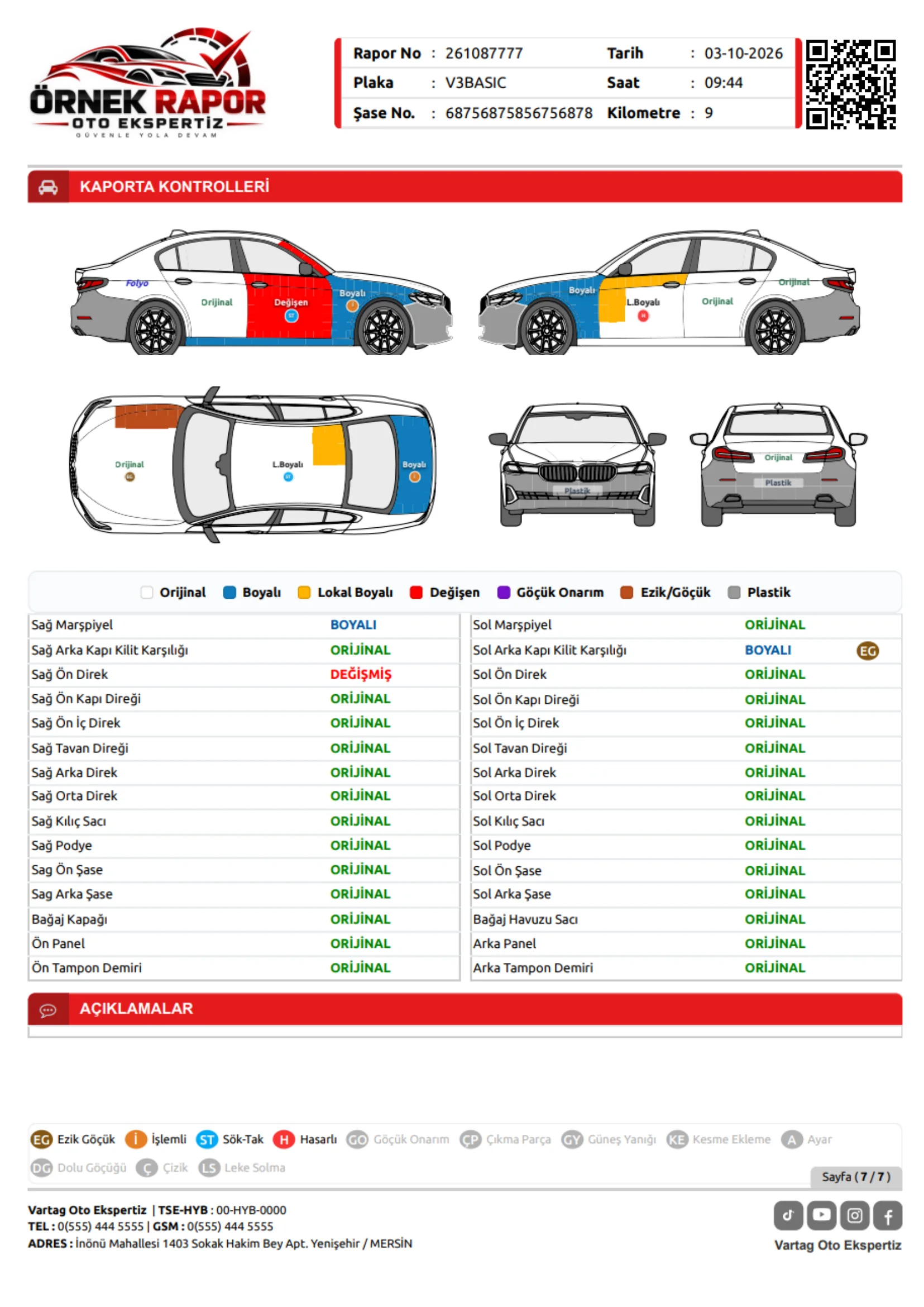
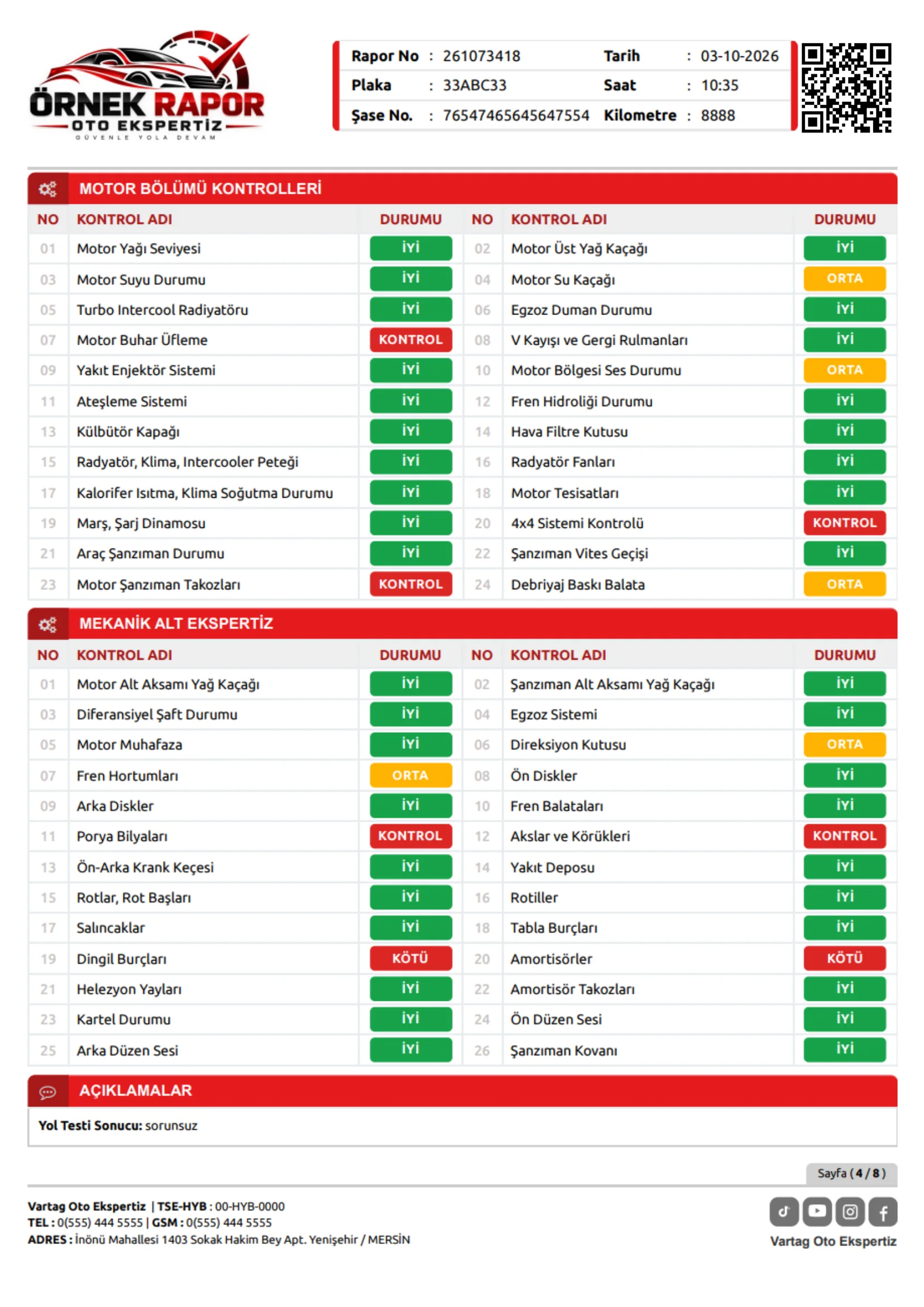
Desktop or mobile. One consistent reporting experience.
13+years of experience
18vehicle body types
20+report templates
5000+vehicle makes and models
QR-enabled reportsUnlimited Registration ScanningFranchise managementDay-to-day accountingReport archiveTwo-factor authentication1,000-Point Bodywork AnnotationUnlimited SMSUser PermissionsAccess Across DevicesMultilingual ReportsAppointments & Work Orders
GET TO KNOW US
In the Media. Alongside Our Customers.
Four short clips from VARTAG’s television appearances.
 Advertisement
CNN Türk appearance
 Advertisement
Beyaz TV appearance
AdvertisementBeyaz TV appearance
AdvertisementCNN Türk appearance
EVERY STAGE OF INSPECTION
Beyond the Report. A Complete Business Solution.
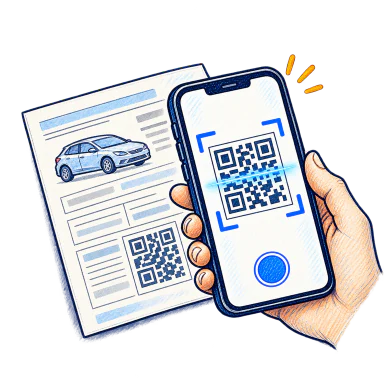
QR-enabled reports
Let customers access their digital inspection results through the report’s QR code.
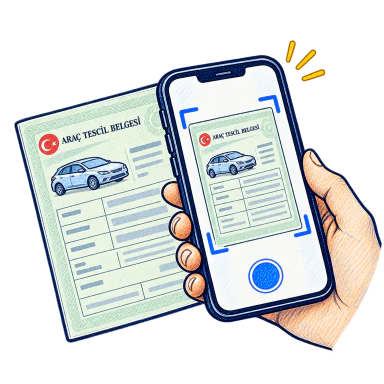
Unlimited Registration Scanning
Transfer vehicle details from registration document images to the form and reduce manual entry.
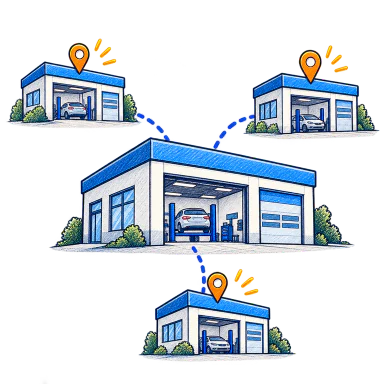
Franchise management
Manage franchises, branches, users and operations from one central platform.

Day-to-day accounting
Track customer accounts, outstanding balances and expenses on one screen.
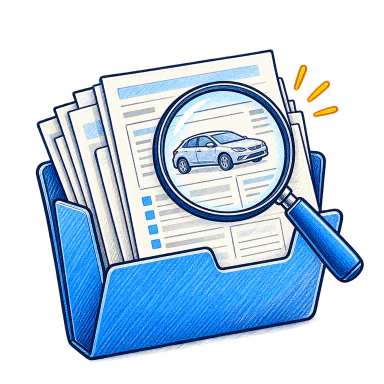
Report archive
Store inspection reports securely and reopen them whenever needed.

Two-factor authentication
Add an extra verification step to protect accounts and user access.
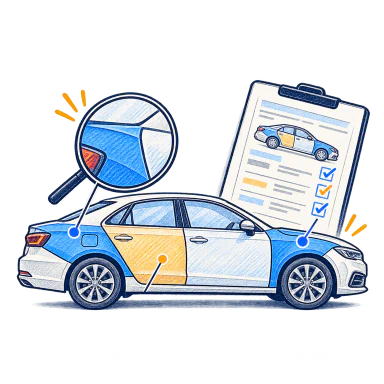
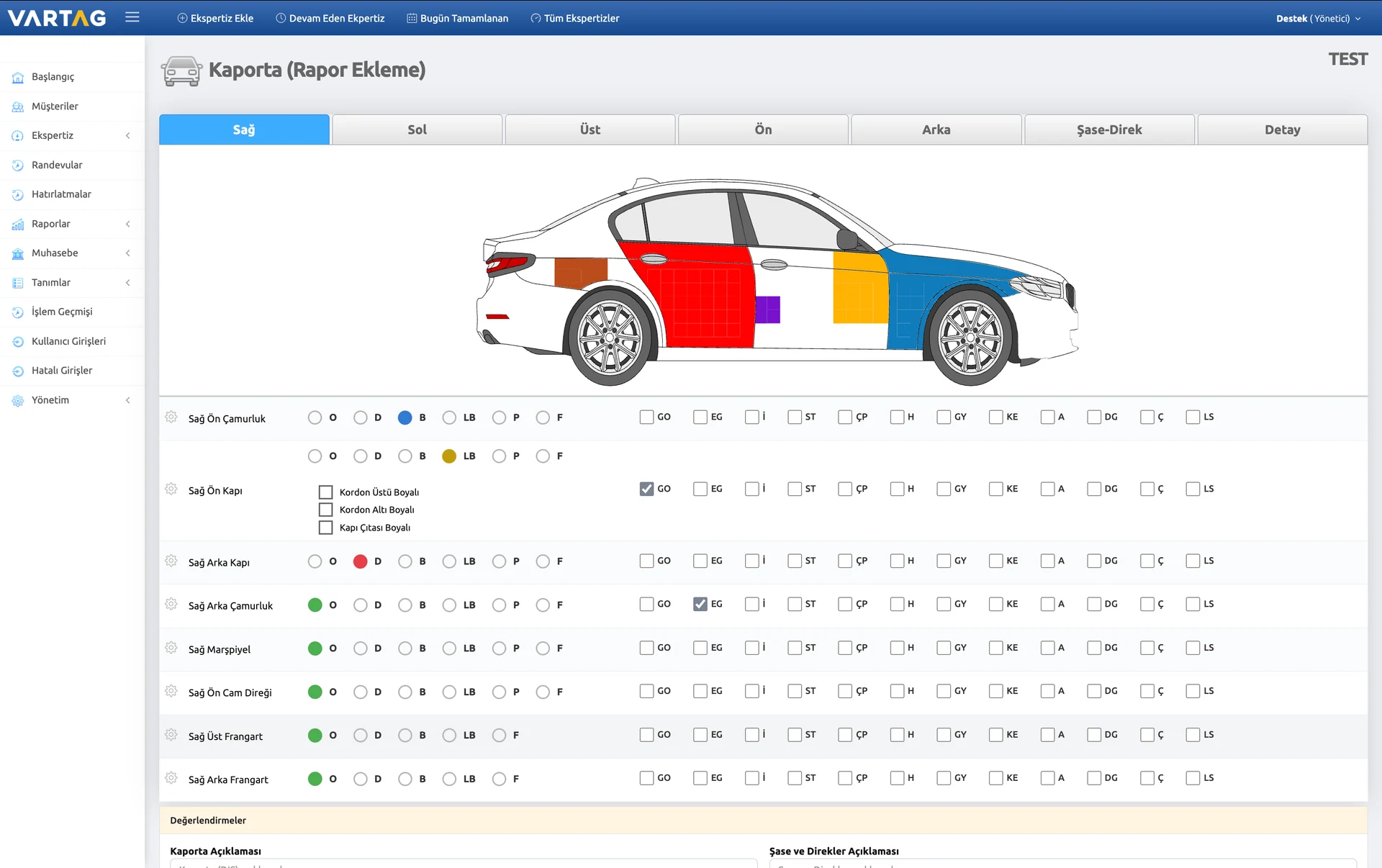
1,000-Point Bodywork Annotation
Use colour-coded markers to record paintwork, dents and damage at around 1,000 locations.
Unlimited SMS
Send unlimited SMS notifications about inspection progress and results.
User Permissions
Define user roles and track actions with timestamps.
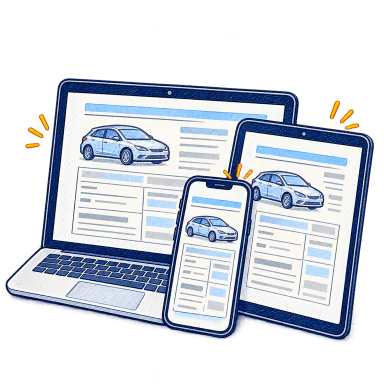
Access Across Devices
Access your inspection system whenever you need it, from a computer, tablet or phone.
Multilingual Reports
Present inspection results to international customers in their own language.
Appointments & Work Orders
Schedule appointments, create vehicle work orders and follow every stage of inspection.
BODYWORK INSPECTION · PRECISE ANNOTATIONEven the Smallest Finding.
Even the Smallest Finding.
Exactly Where It Belongs.
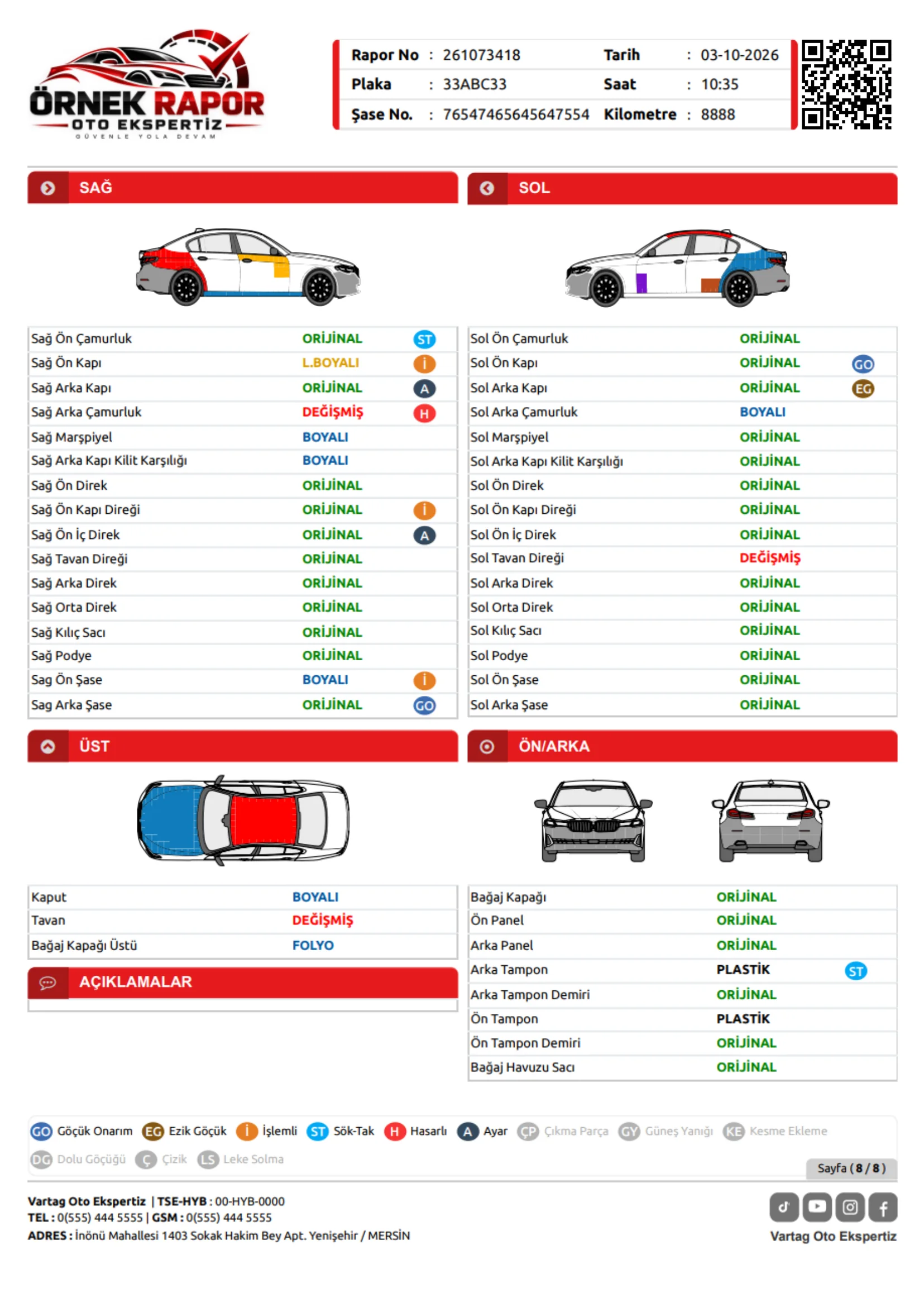
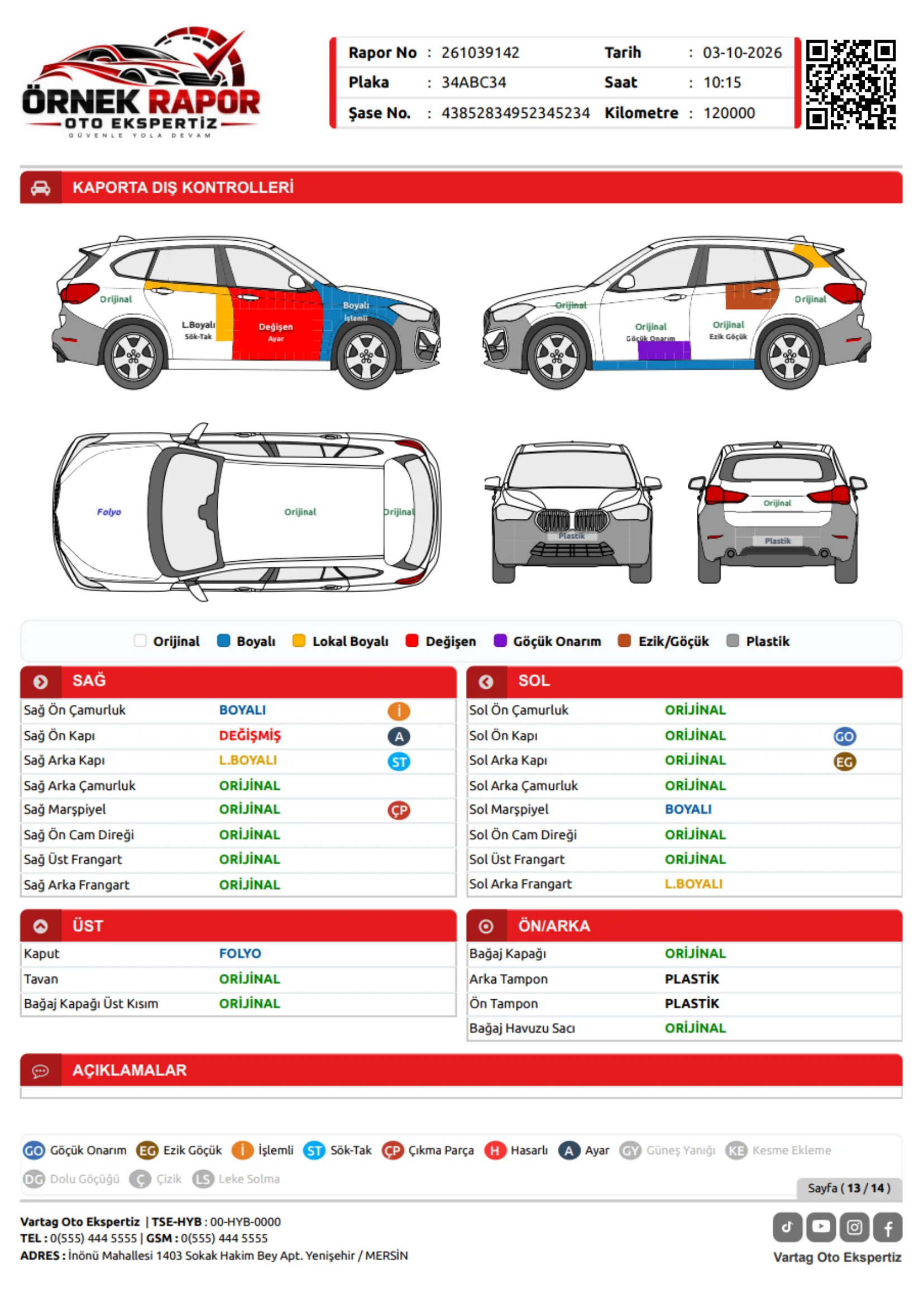
Mark not just the panel, but the precise area of local paintwork or repair on the vehicle diagram. Colour-coded status labels make each finding and its location clear at a glance. With 18 vehicle types and around 1,000 annotation points, record the detail that matters.
BODYWORK REPORT EXAMPLESSelect to preview ↗
BODYWORK REPORTPREVIEW ↗
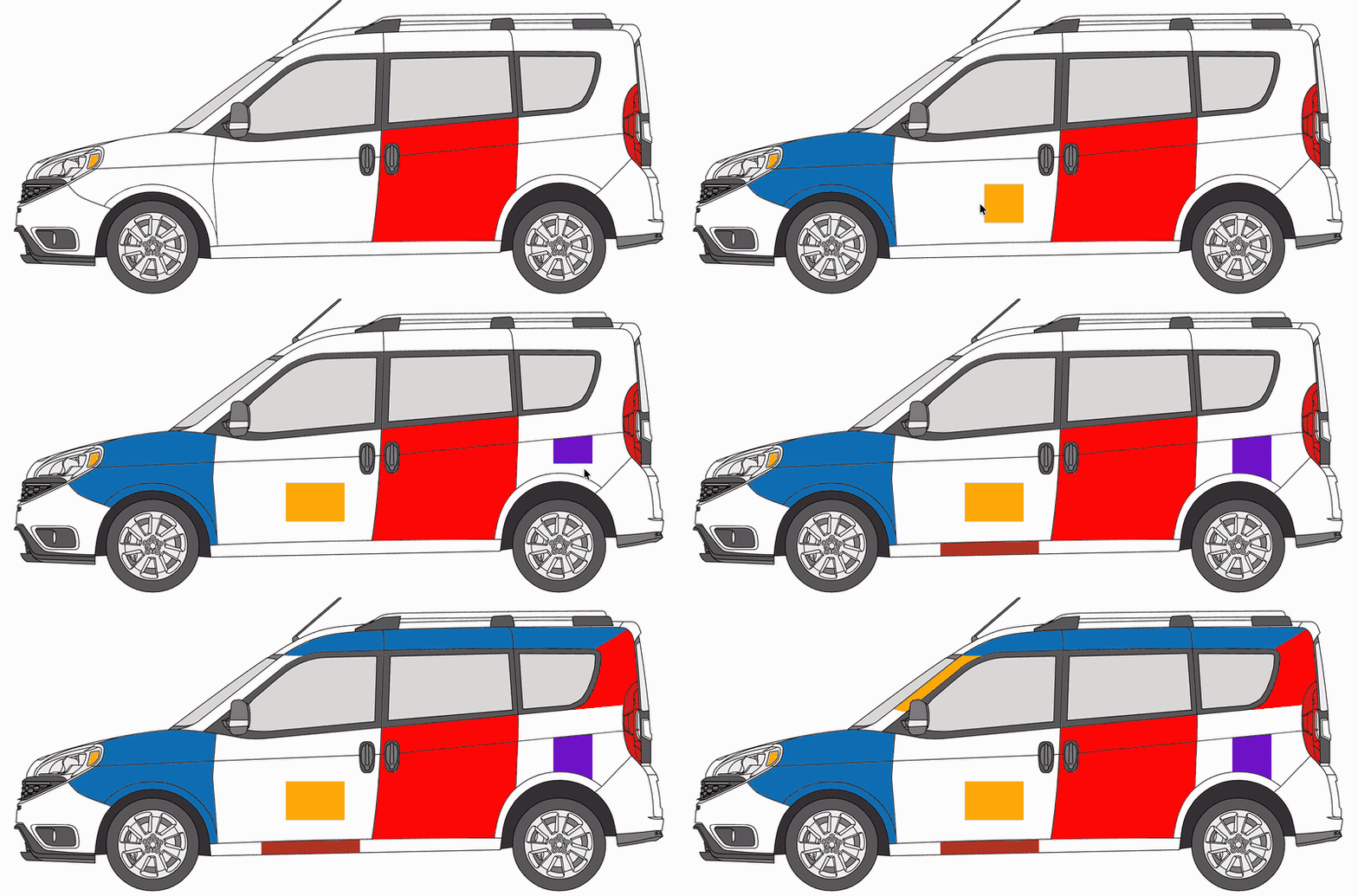
O OriginalD ReplacedB RepaintedLB Locally repaintedP PlasticF Wrap filmGO Dent repairEG Dentİ ReworkedST Removed and refittedÇP Used replacement partH DamagedGY Sun damageKE Cut and joinedA AdjustedDG Hail dentÇ ScratchLS Staining / fadingYB Partially repainted panelİB Thin paint layerYD Partially replaced panelV Clear coatDF DeformedR Touch-up
360°VEHICLE
INSPECTION
INSPECTION
Every detail recordedFindings linked to the report
VEHICLE VIEWSAll Vehicle Types
ENGINE / MECHANICAL / ELECTRONICInside the vehicle.
Inside the vehicle.
Clarity in every report
From performance to safety, record each finding under the right heading and bring the full inspection together in a clear report.
01 / TESTS & INSPECTION
Engine & Mechanical
- 01
Engine performance test
Power and performance results
- 02
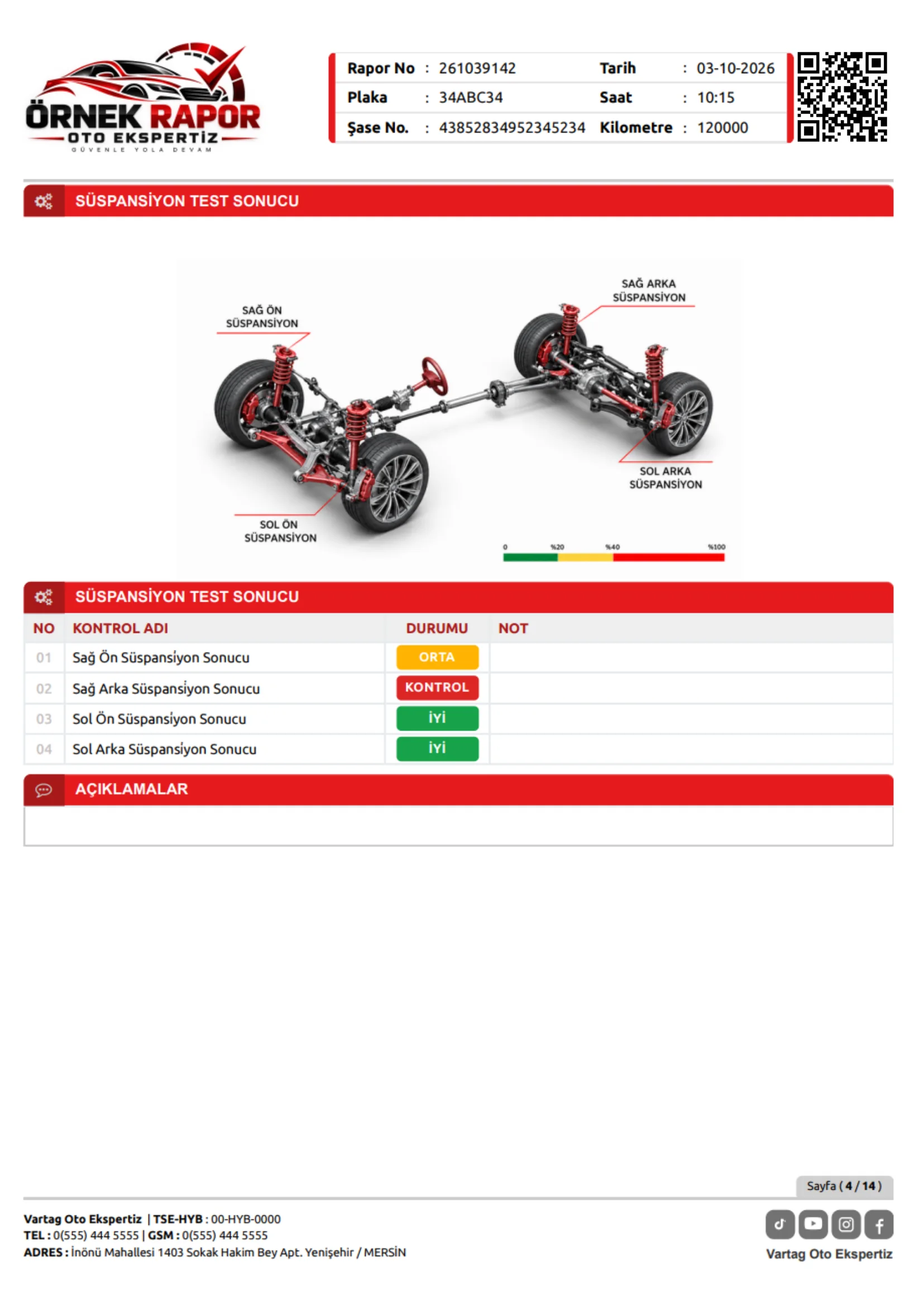
Suspension test
Road handling and suspension findings
- 03
Brake system test
Brake test results
- 04
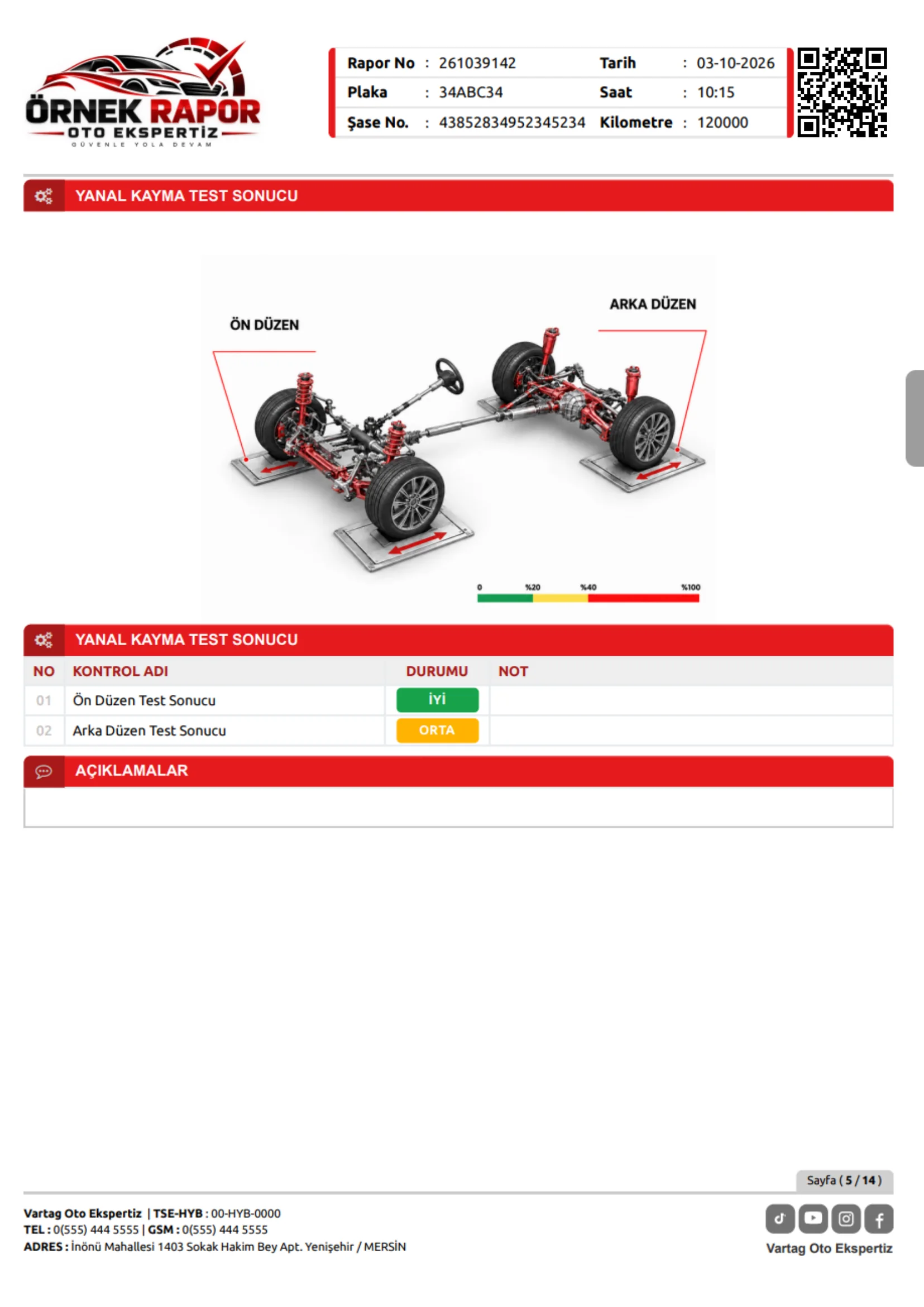
Side-slip test
Alignment and deviation assessment
- 05
Engine compartment checks
Engine compartment findings
- 06
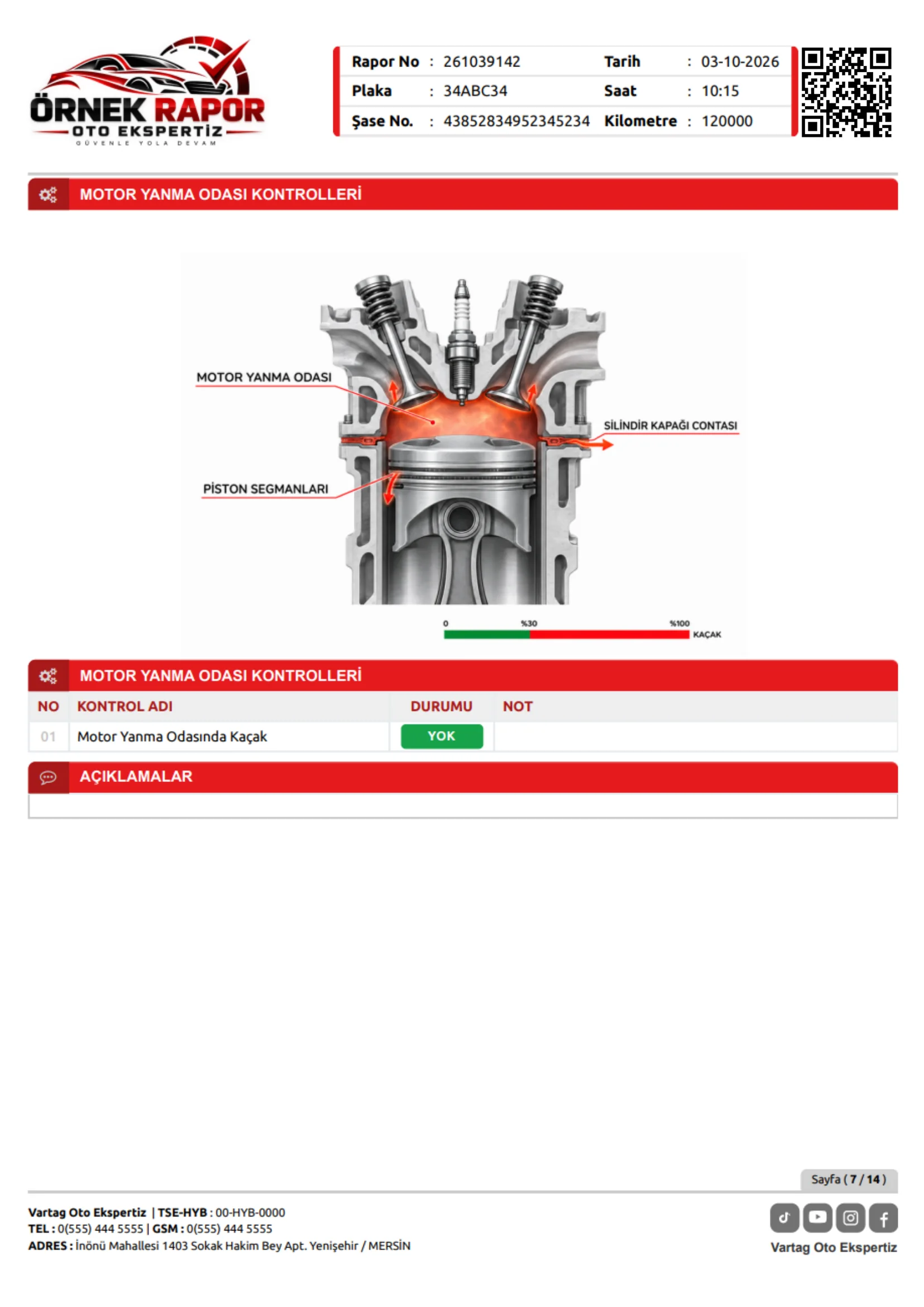
Combustion chamber checks
Combustion chamber findings
- 07
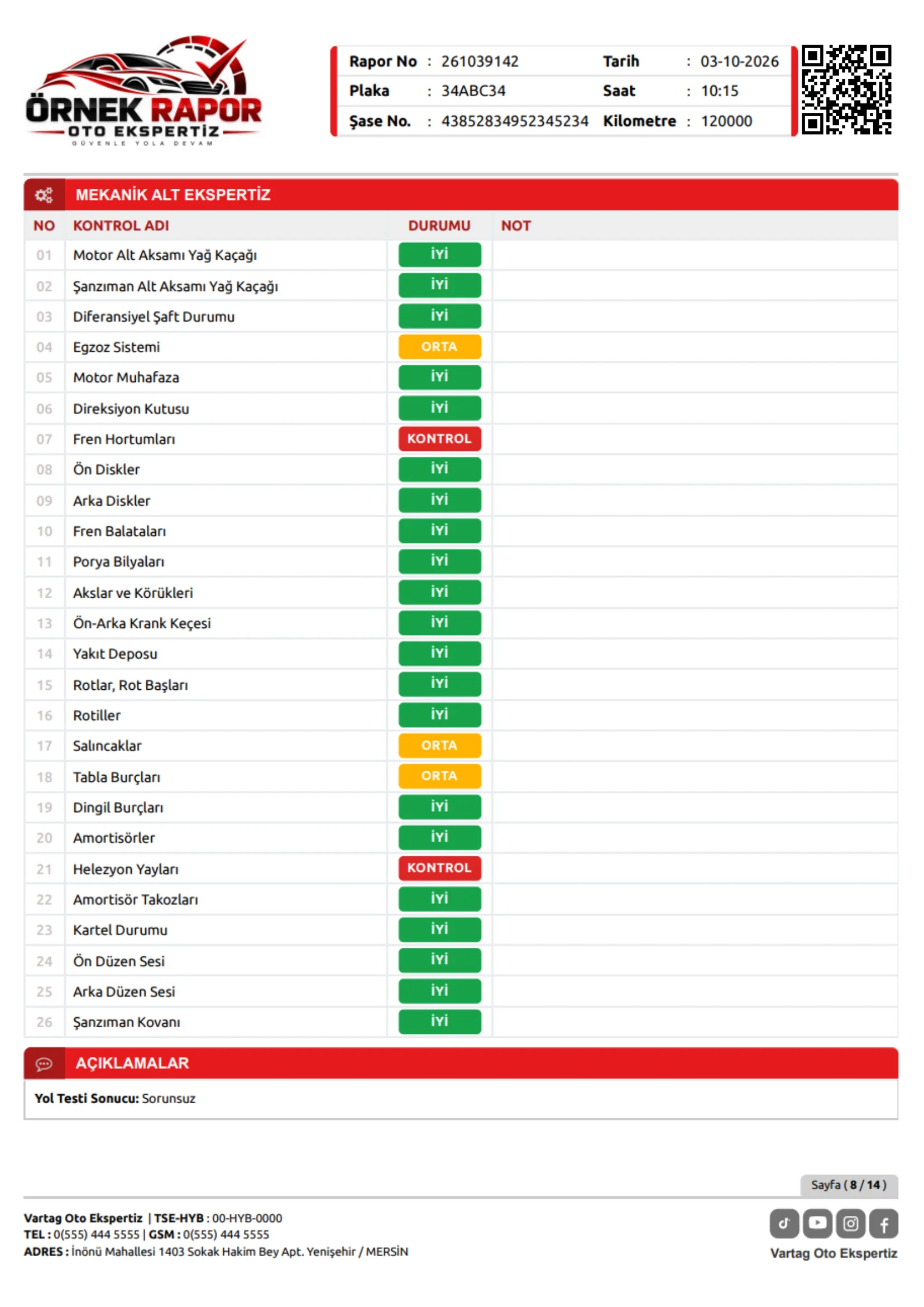
Underbody mechanical checks
Underbody and mechanical components
- 08
Road test results
Findings observed during driving
A complete record, from test results to road observations.
02 / SYSTEMS & EQUIPMENT
Electronics & Equipment
- 09
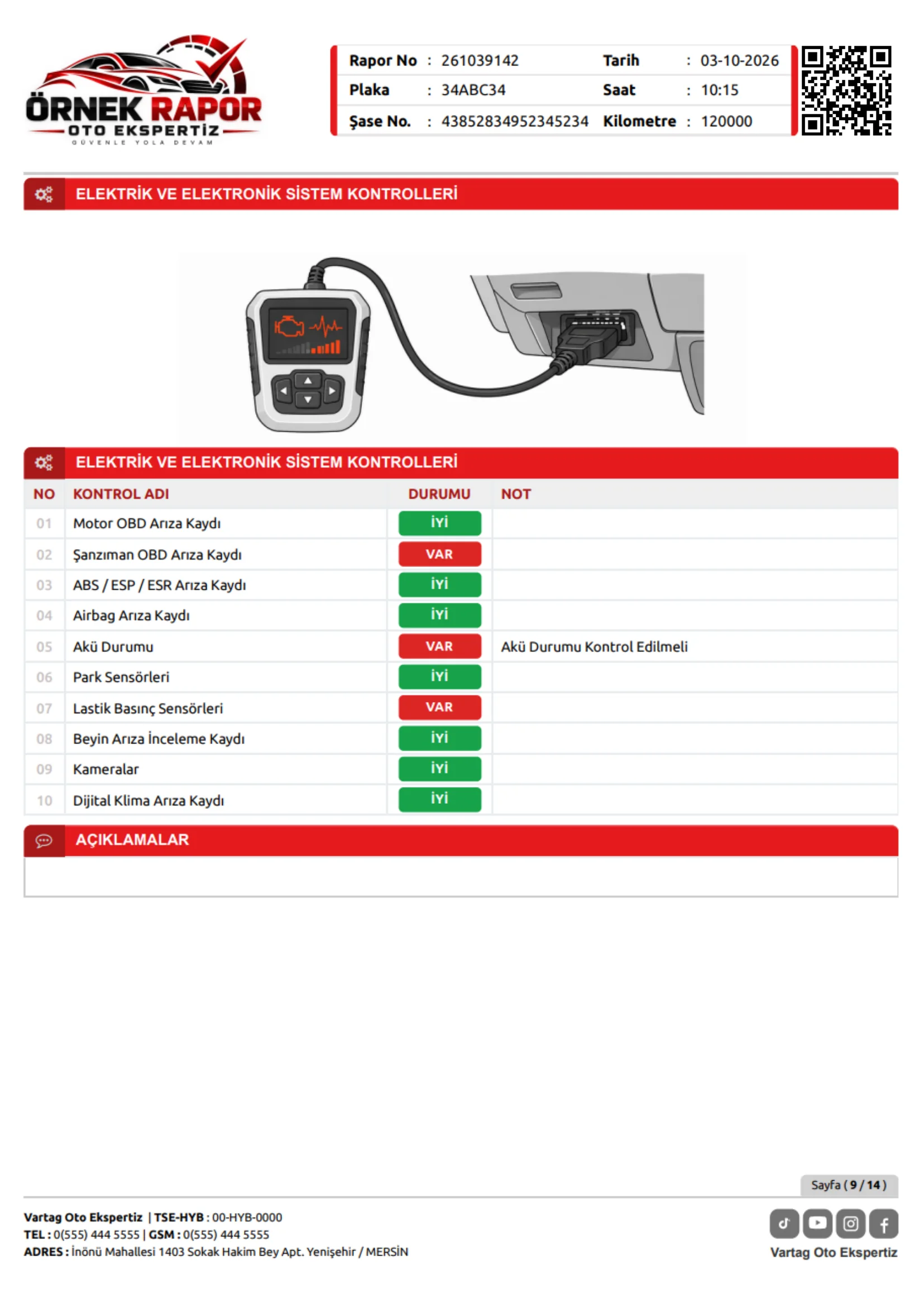
Electrical and electronic systems
Electrical and electronic findings
- 10
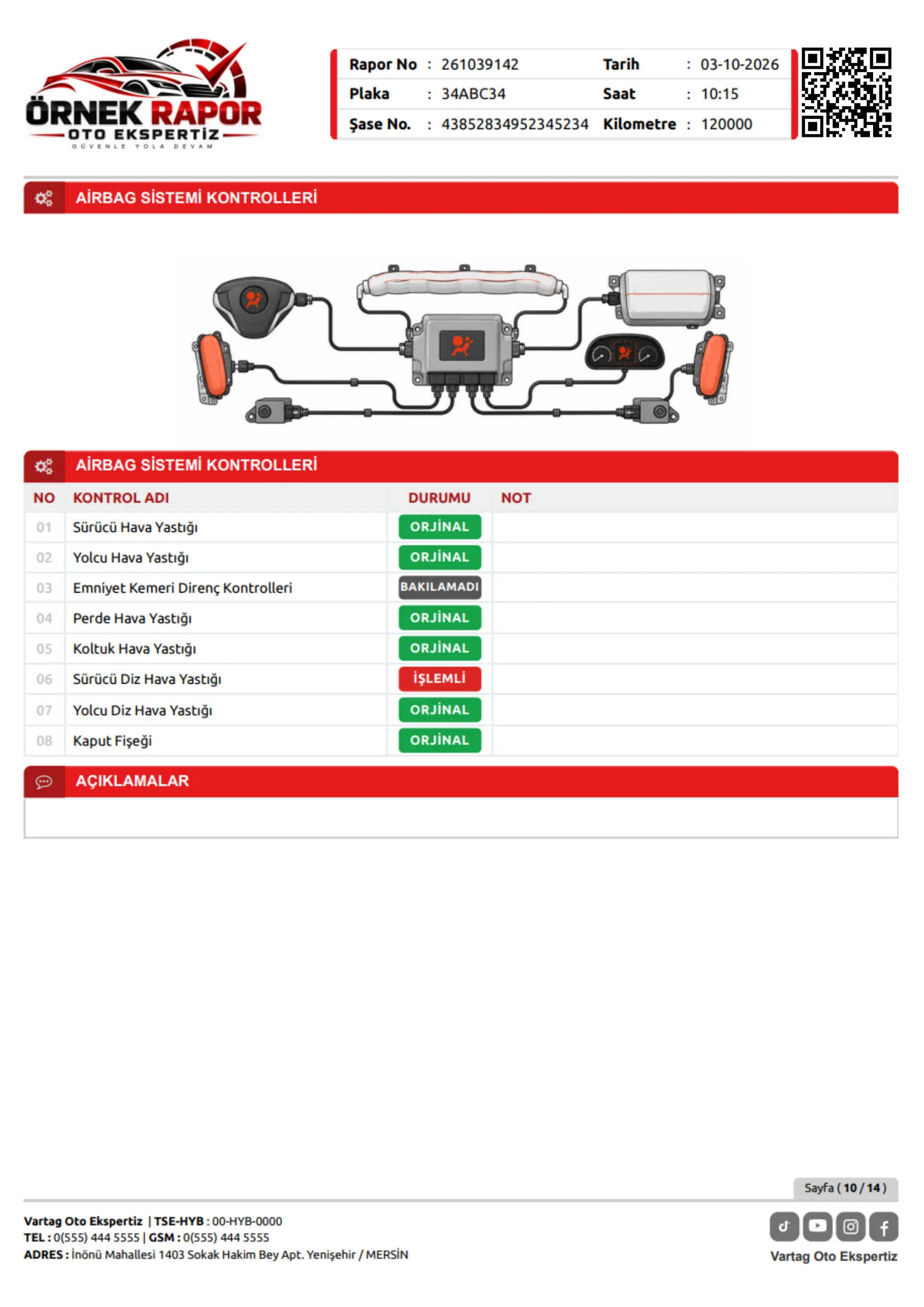
Airbag system checks
Safety system findings
- 11
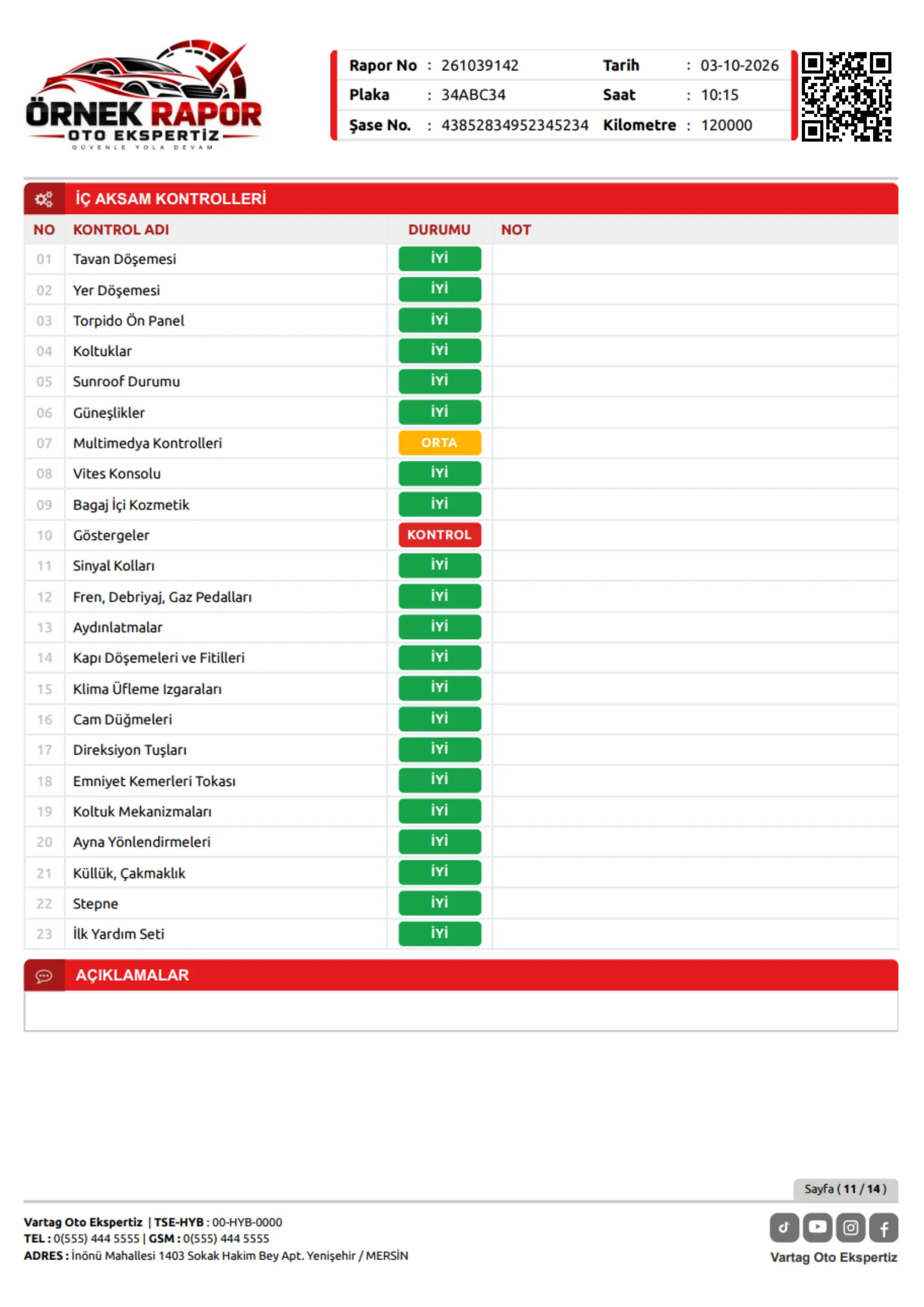
Interior equipment checks
Cabin and interior equipment findings
- 12
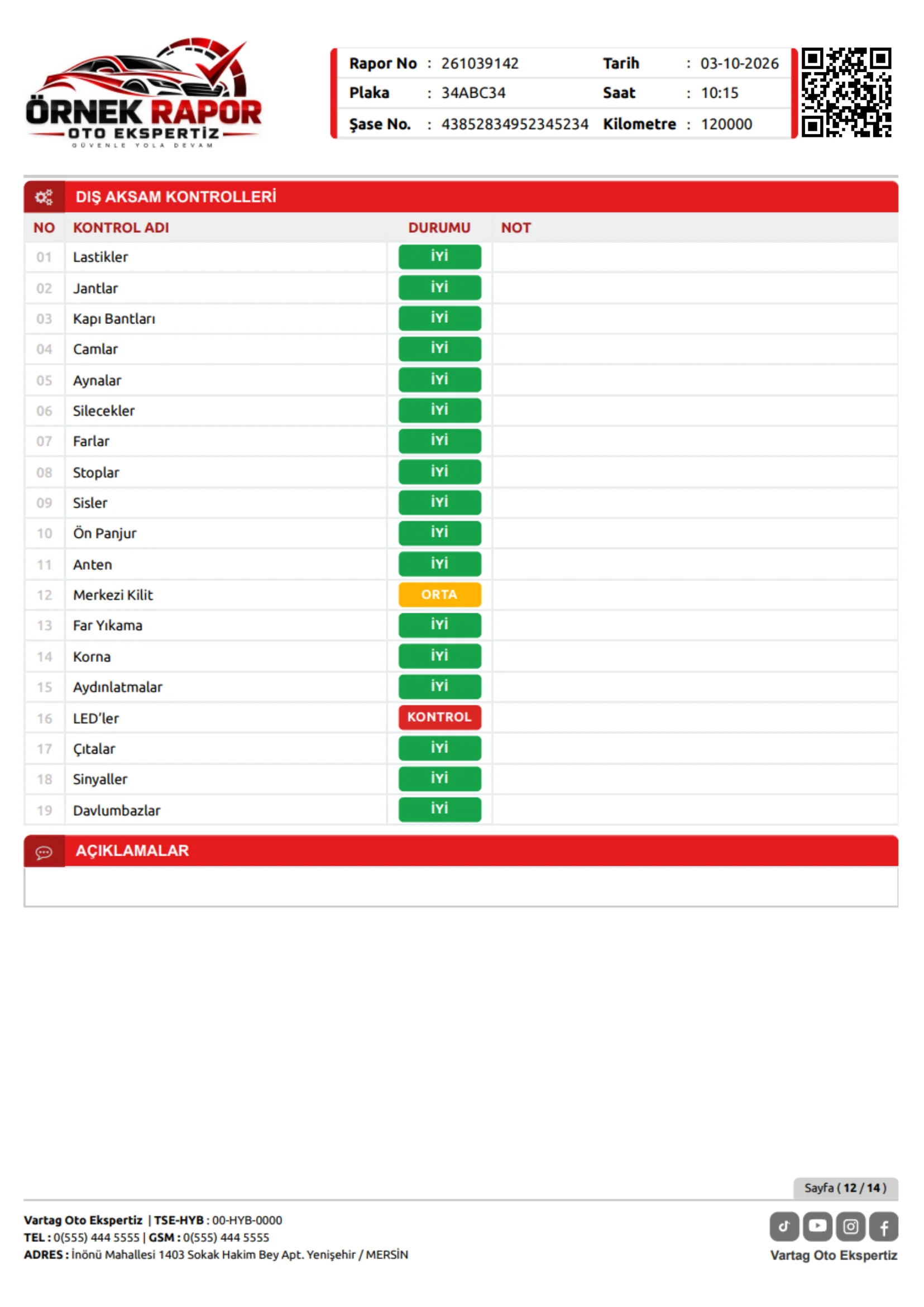
Exterior equipment checks
Exterior equipment findings
REPORT DESIGN FOR YOUR BUSINESSBEYOND OFF-THE-SHELF SOFTWARE
Reports designed around you.
We define report content and colours together, to suit your business.
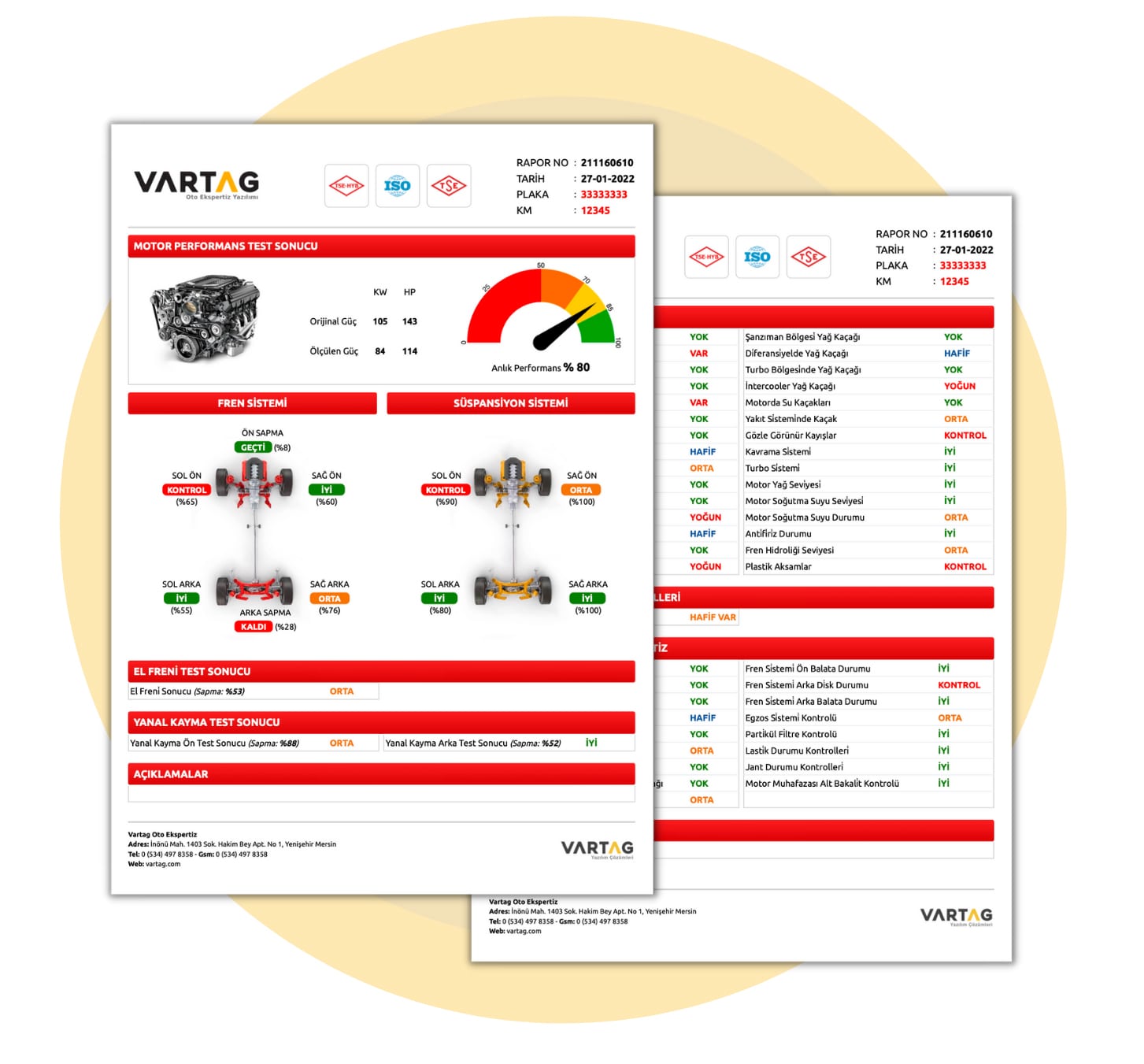
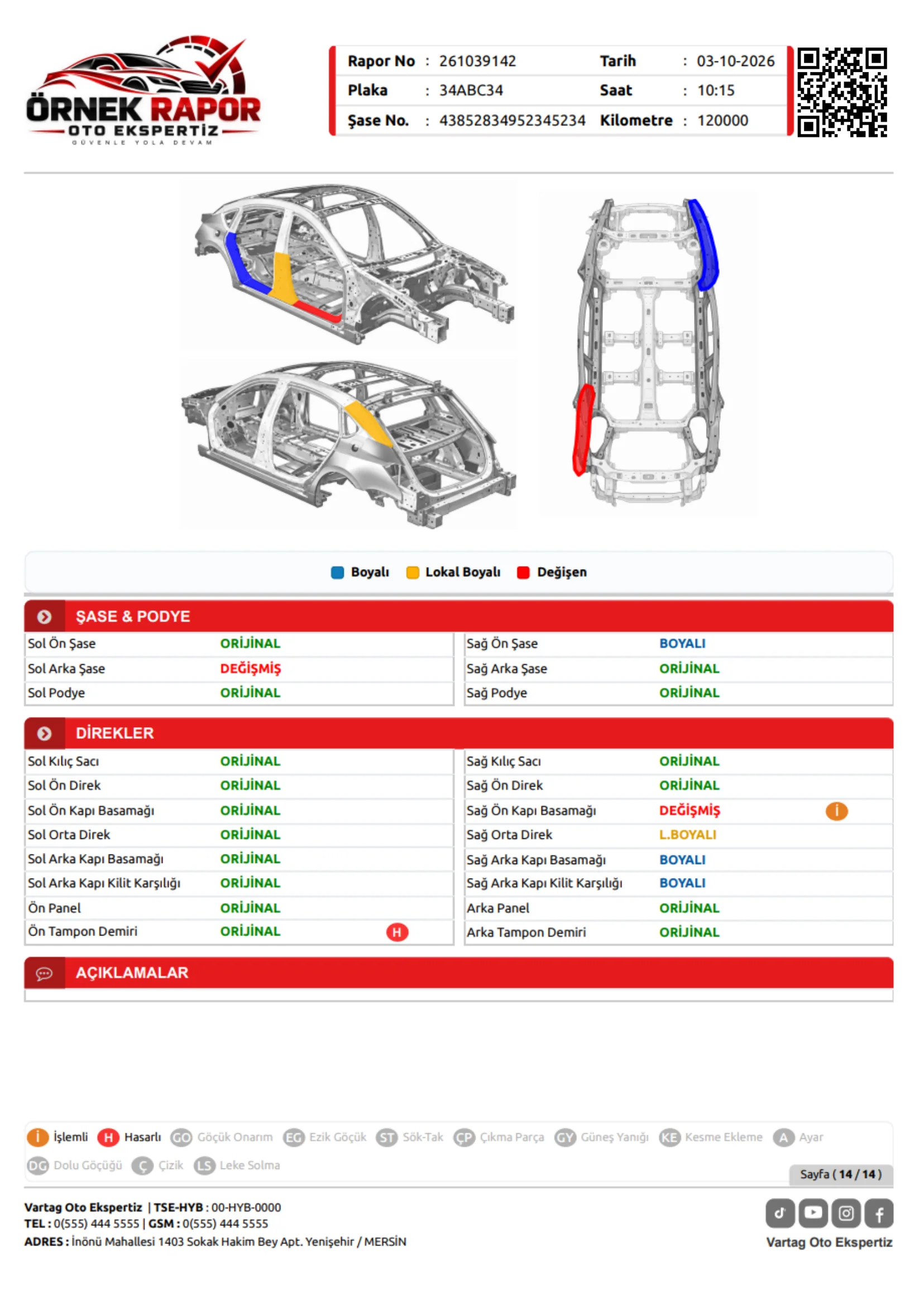
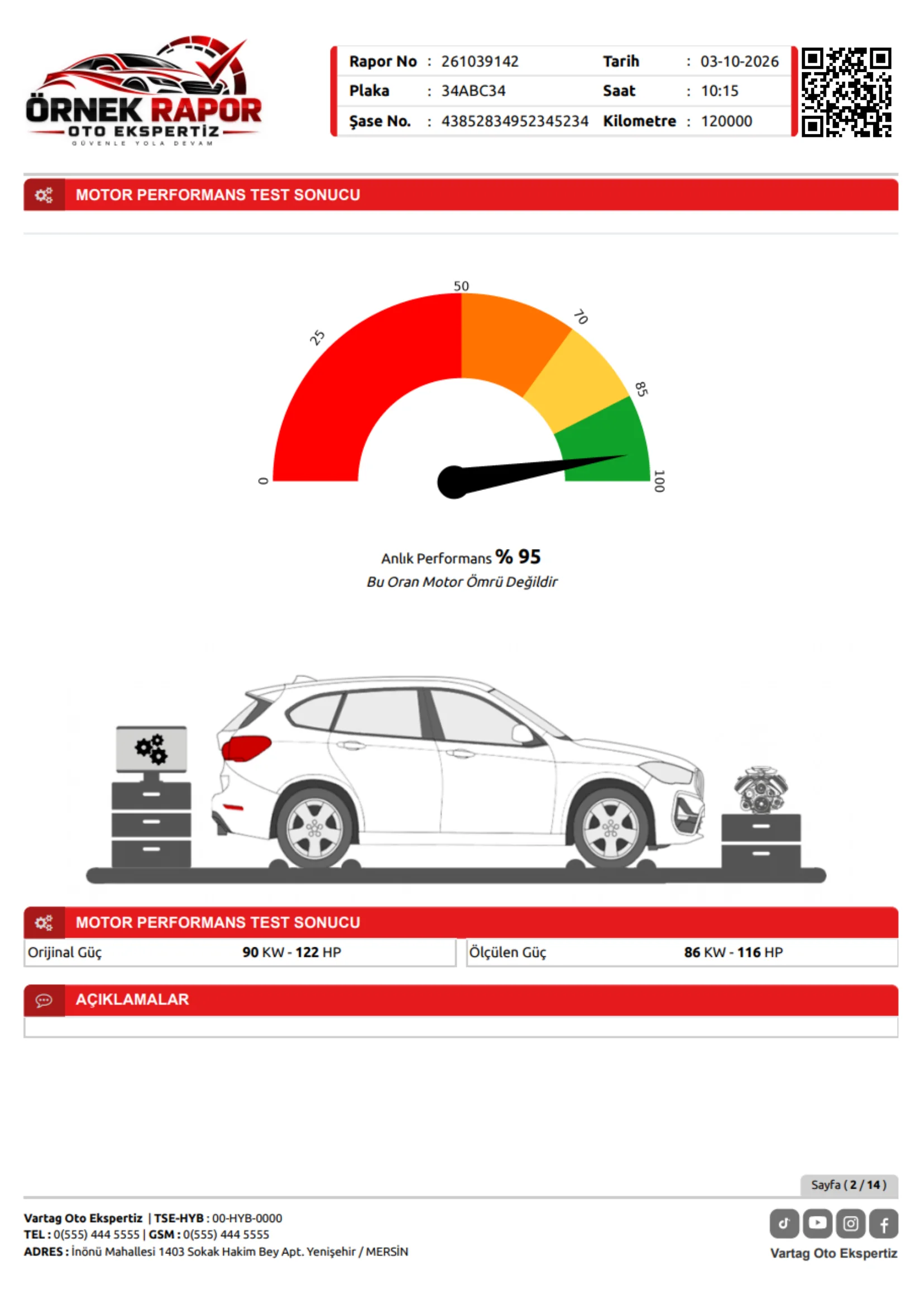
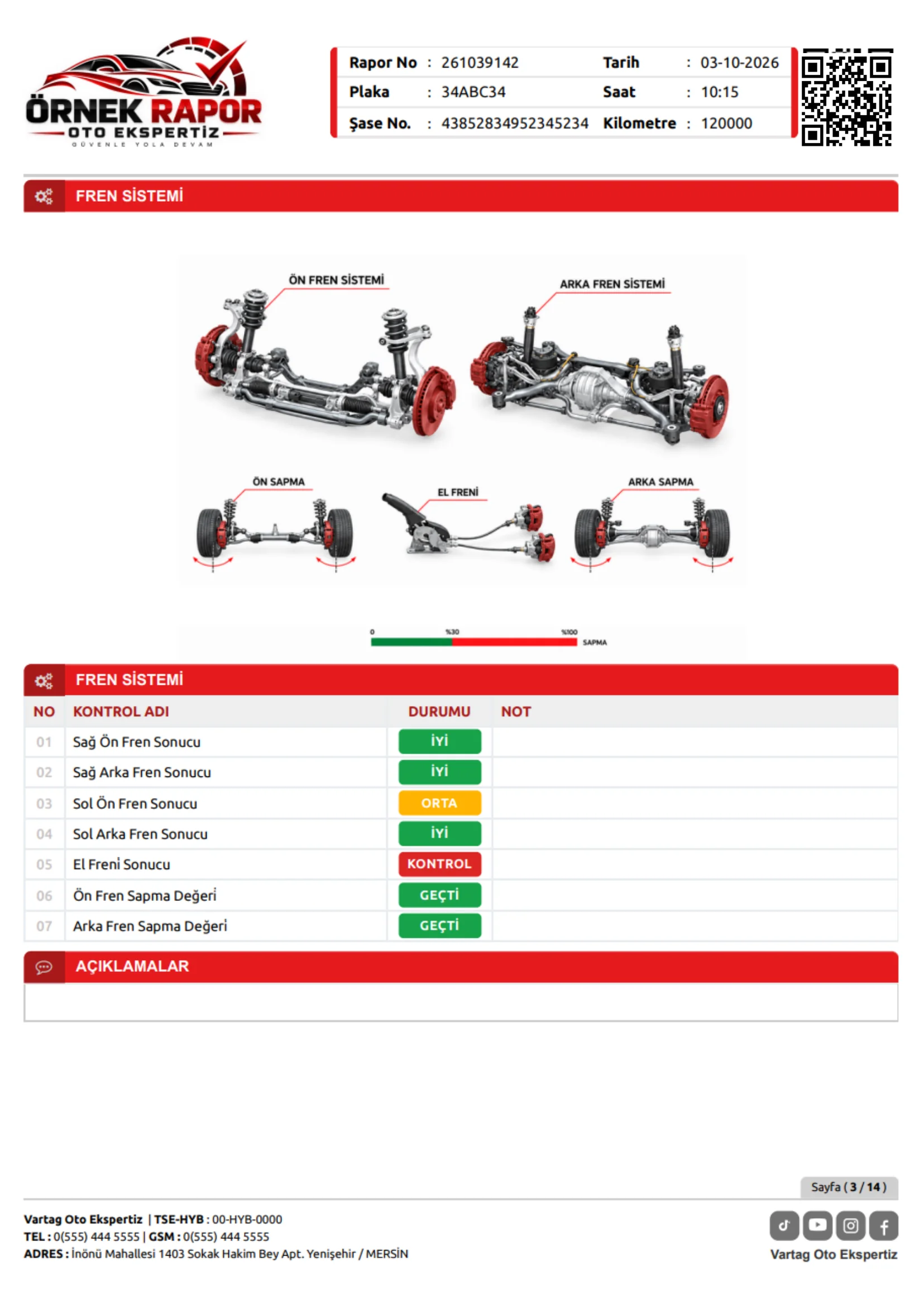
SAMPLE INSPECTION REPORTS
Every Detail. In Your Report.
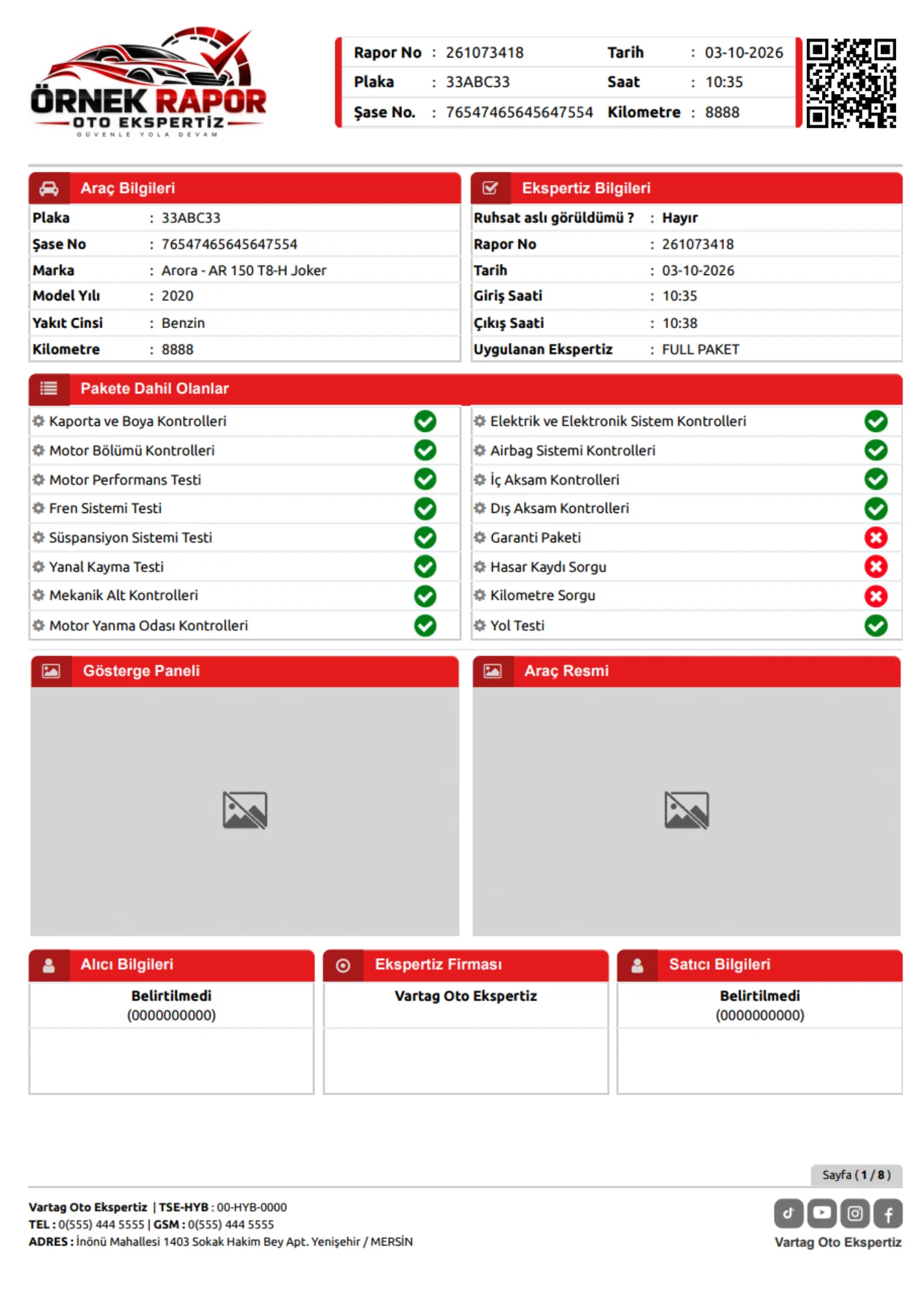
Explore sample report pages for bodywork, engine and electronic inspections.
OUR APPROACH TO QUALITY
Our Certifications Reflect Our Values
Explore the quality certifications published as part of our integrated management system work.
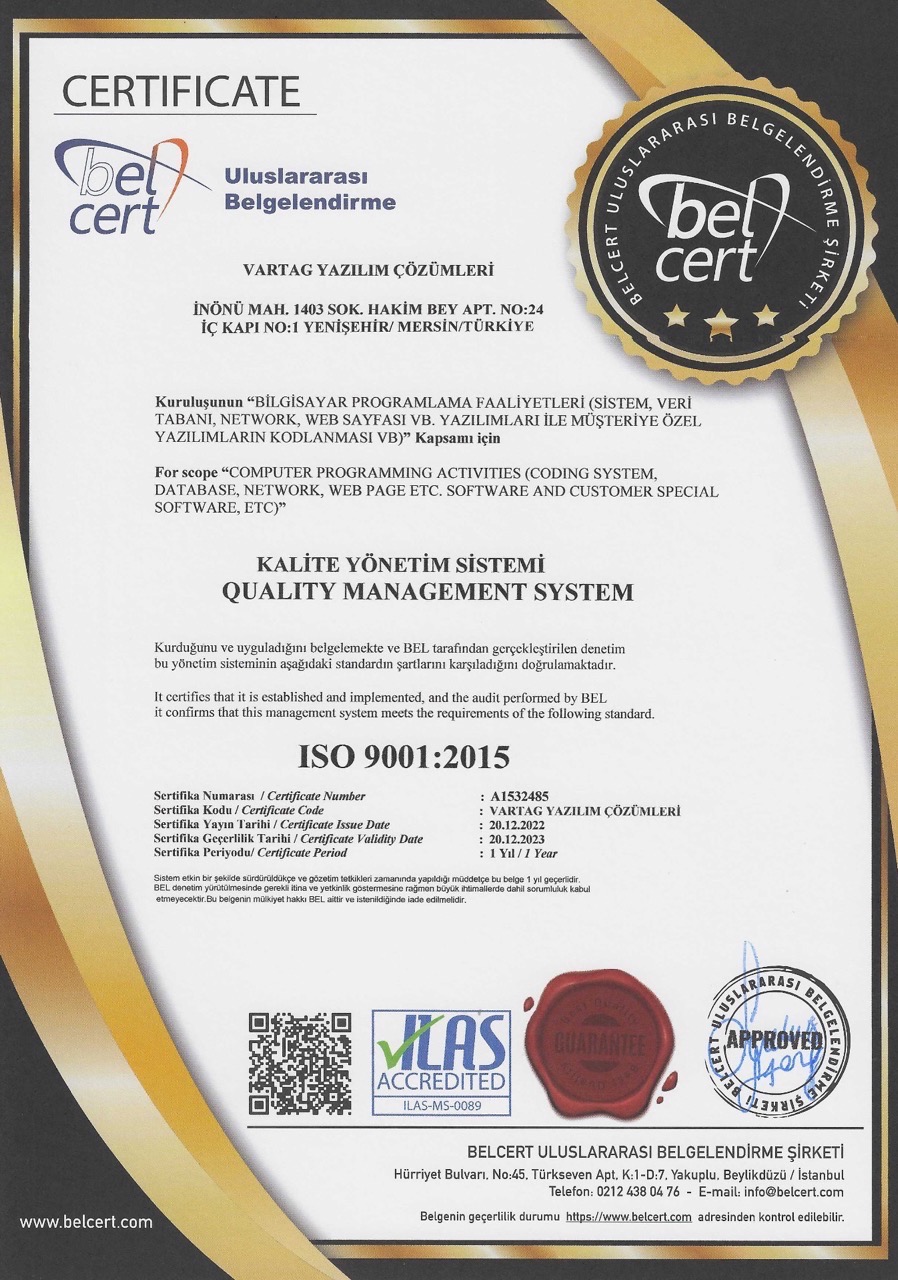
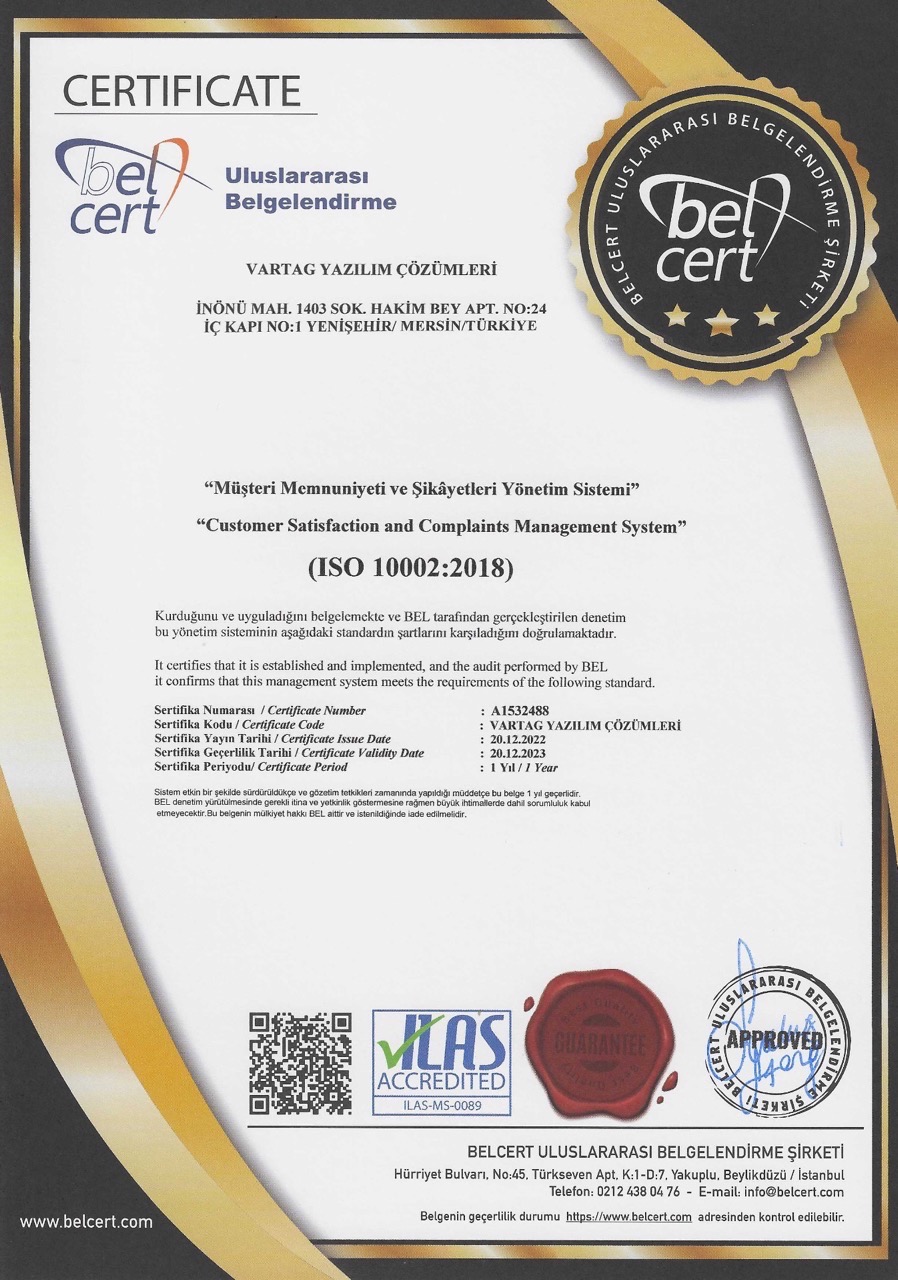
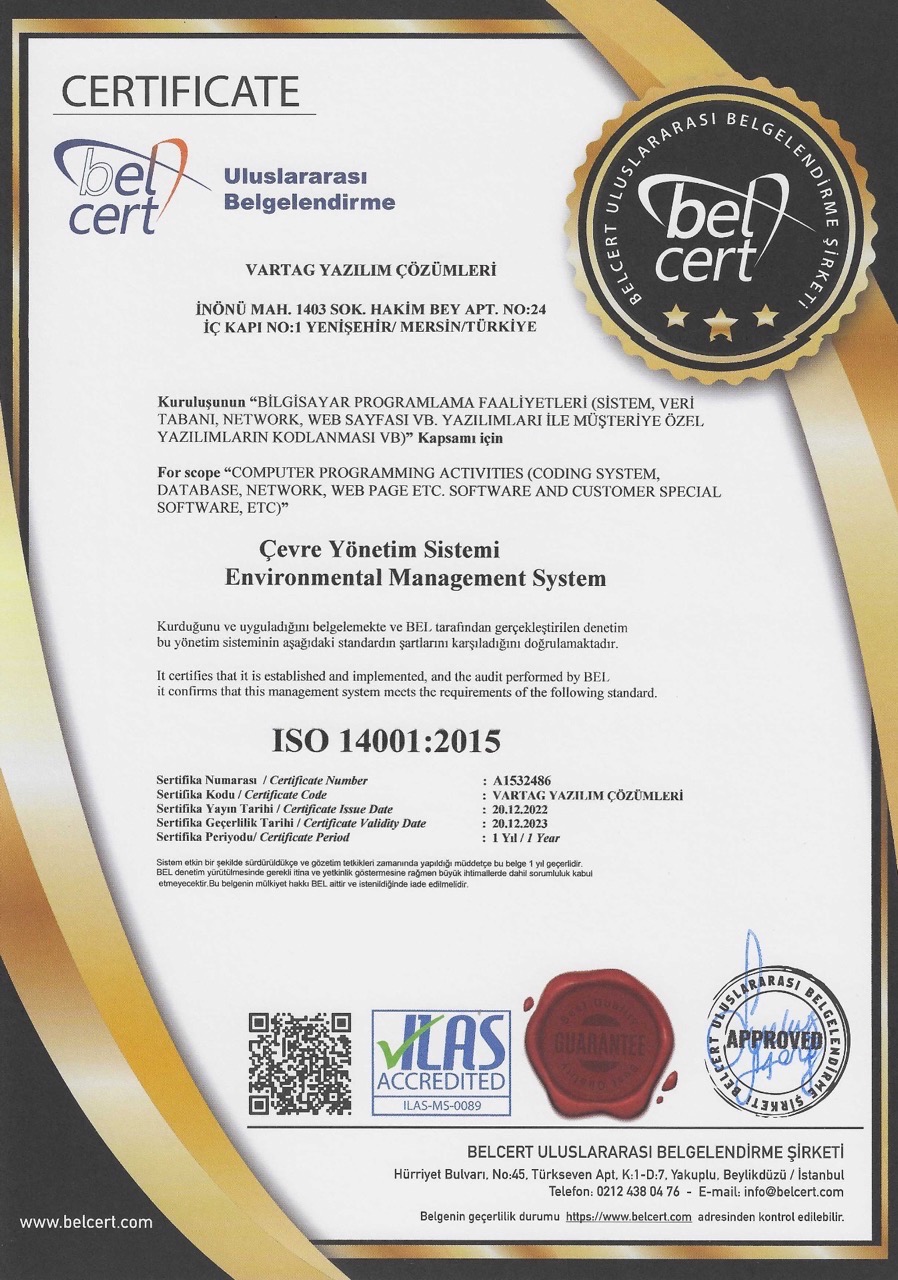
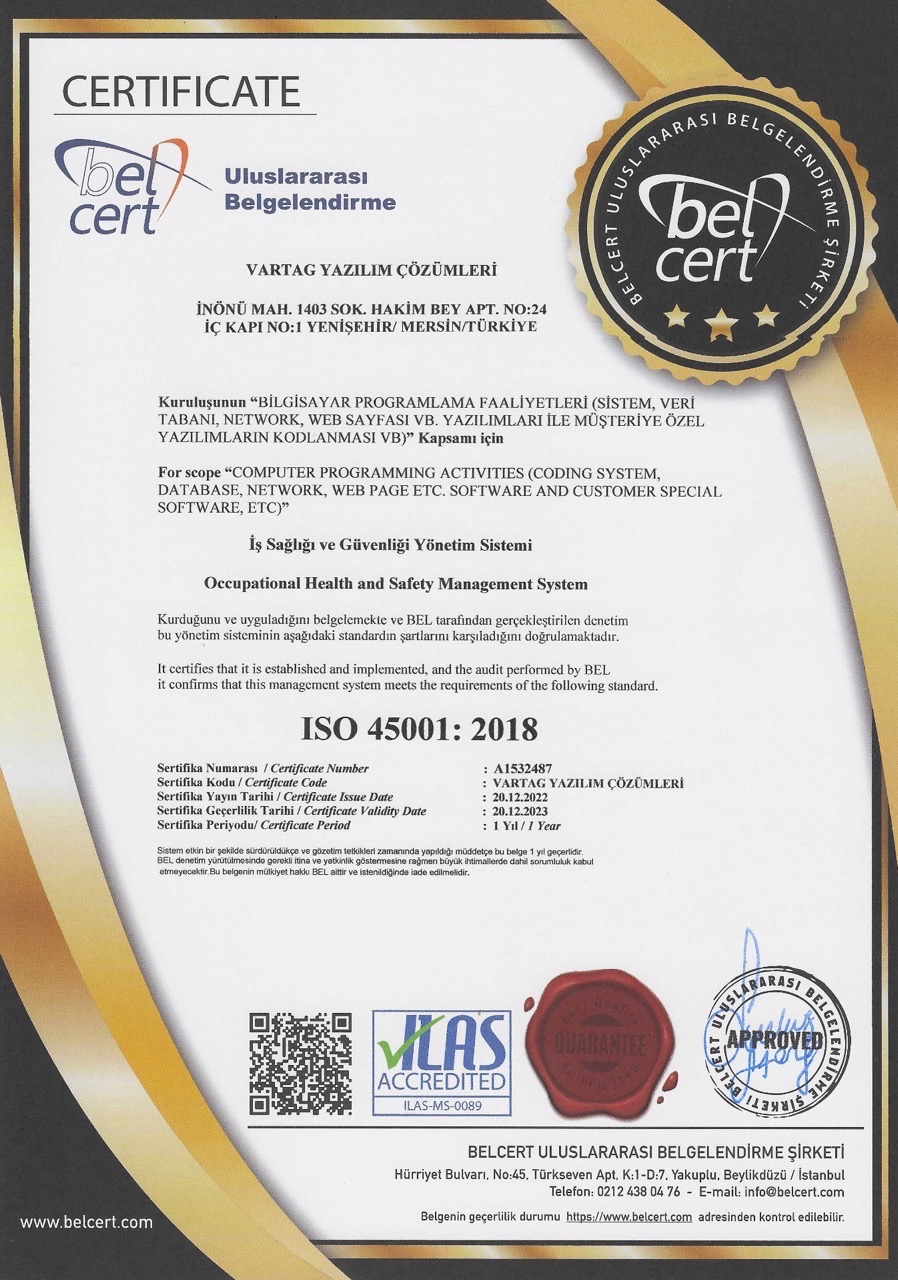
The Right Plan for Your Business
Simplify inspection operations and take your business further with VARTAG.
Choose the plan that fits your needs and get started.
01 / SIX MONTHS
6-Month Subscription
All the essential tools for your business, together for six months.
899USD
180 DaysAll Taxes Included- Branded Report Design
- Unlimited Reports
- Unlimited Users
- Unlimited SMS
- Unlimited Registration Scanning
- Unlimited QR Reports
- Report Archive
- All inspection modules
- Free Software Updates
02 / A FULL YEAR
12 Months + 2 Months Free
Get two extra months of use with your annual subscription.
1,499USD
Per monthUSD 107420 DaysAll Taxes Included- Branded Report Design
- Unlimited Reports
- Unlimited Users
- Unlimited SMS
- Unlimited Registration Scanning
- Unlimited QR Reports
- Report Archive
- All inspection modules
- Free Software Updates
03 / FRANCHISE NETWORKS
Franchise Solutions
A tailored solution for your franchise and branch network.
Request a QuoteLet us prepare a proposal around your requirements.
- Franchise and branch management
- Branded Report Design
- Unlimited Reports
- Unlimited Users
- Unlimited SMS
- Unlimited Registration Scanning
- Unlimited QR Reports
- Report Archive
- User and permission management
- Free Software Updates
The listed package prices are valid until the end of the year.
HEAR FROM OUR USERS
What Do Inspection Businesses Say?
Adana
I run a vehicle inspection business in Adana and have used several software packages over the years. VARTAG is the most professional I have worked with. They also respond promptly when issues arise. I recommend them and wish them continued success.
İstanbul
The different modules have made running our inspection business much easier. VARTAG also provides effective solutions whenever issues arise. A reliable service.
İzmir
We have many international customers and needed inspection software that could produce reports in different languages. VARTAG met all our requirements.
Ankara
VARTAG is unlike any software we used before. Many tasks we once handled manually are now managed within the system. Thank you for everything.
İstanbul
Reporting used to be our biggest challenge. VARTAG solved that problem and enabled us to provide clear, detailed reports for both our team and our customers.
İstanbul
VARTAG includes the modules an inspection business needs. Having used it myself, I find it highly effective and would recommend it.
Ankara
VARTAG’s franchise inspection software has been especially useful when serving international customers. The language options let us issue reports in different languages.
İstanbul
We purchased both the corporate and franchise versions. Integrating them across our businesses significantly improved efficiency. They provide effective solutions.
İstanbul
Compared with other software on the market, I found VARTAG practical and useful. Testing it in our own inspection business made the difference clear. I would recommend it.
Ordu
We purchased the corporate inspection software. It is well designed and solution-focused, with even day-to-day accounting considered. I recommend it.
Van
We had been looking for inspection software that would make every aspect of our work easier. VARTAG brought that search to an end. It covers the needs of an inspection business. Thank you.
İstanbul
VARTAG has helped us deliver better service and keep our customers informed. Its multilingual reporting options have been particularly useful.
A great team with fast solutions. Don’t leave your business to chance: meet VARTAG.
OUR INSPECTION NETWORK
Growing Together with Inspection Brands
A selection of our vehicle inspection partners serving cities across Türkiye.







FREQUENTLY ASKED QUESTIONS
Frequently asked questions about VARTAG Vehicle Inspection Software
Clear answers on features, reports, plans and daily operations for businesses choosing inspection software.
What is VARTAG vehicle inspection software used for?
VARTAG is web-based vehicle inspection software developed in Türkiye. It combines vehicle intake, appointments, work orders, bodywork, engine, mechanical and electronic inspection records with reporting, report archiving and business management. It supports workflows for both independent centres and franchise networks.
What sets VARTAG apart from other inspection software?
VARTAG’s features include bodywork diagrams for 18 vehicle types, around 1,000 annotation points, more than 20 report templates, branded report customisation and multilingual reporting. Current subscriptions also include unlimited SMS and registration document scanning without separate per-operation charges. Compare competitors’ scope and pricing using up-to-date proposals.
Which businesses is VARTAG designed for?
VARTAG is designed for independent inspection centres, multi-branch businesses and corporate franchise networks. A single centre can use its reporting and daily workflow tools, while larger networks can focus on user permissions and central management. Branded reports, configurable inspection packages and multilingual reporting serve different customer groups.
What software solutions does VARTAG offer?
VARTAG develops web-based business software and digital solutions. Its website presents vehicle inspection software, Maya Policy Management, bespoke web software, web design, mobile applications and business email. VARTAG Vehicle Inspection Software is its dedicated product for vehicle assessment, reporting and business management. Refer to each service page for scope and proposal terms.
Is VARTAG developed in Türkiye?
Yes. VARTAG identifies itself as a software brand developed in Türkiye, with its contact location in Mersin. Its inspection product supports vehicle intake, detailed checks, reporting, franchise management and customer communication. Multilingual reports can also benefit businesses serving international customers.
Can VARTAG be used outside Türkiye?
VARTAG is web-based inspection software developed in Türkiye. Its multilingual reports may suit businesses serving international customers. SMS availability, report languages, local regulations and data protection requirements must be confirmed for the intended country. Contact VARTAG for current country coverage and supported languages.
What should I compare when choosing inspection software?
When choosing vehicle inspection software, compare reporting coverage, vehicle types, user and franchise management, data security and the total subscription cost. Try your business’s daily workflow in a demo before deciding.
- Inspection and reporting: Can you record bodywork, engine and electronic findings and produce a sample report your customers can understand?
- Daily use: Can your team easily access vehicle intake, report archives and customer accounts?
- Permissions and security: Do staff access controls, activity logs and backup options meet your needs?
- Total cost: Have you compared the subscription term, SMS, registration document scanning, user access and any additional charges on the same basis?
Explore VARTAG’s real report samples, modules and current plans side by side.
How do I choose the best inspection software?
No single program is best for every business. Assess report quality, vehicle coverage, bodywork detail, speed, franchise management, mobile access, customer communication, security and total cost together. If possible, complete a real inspection scenario in a demo. VARTAG is an option for businesses seeking integrated management tools and customisable reports.
Which software do inspection businesses in Türkiye use?
Inspection businesses in Türkiye use various commercial systems for intake, checks, digital reports and customer records. The choice depends on size, branch count and reporting needs. VARTAG is one Türkiye-developed option combining technical inspection with franchise management, archives and day-to-day accounting. Without a verified, comprehensive market list, no definitive popularity ranking should be claimed.
What features should good inspection software have?
Look for clear, accurate reports, suitable vehicle diagrams, mechanical and electronic modules, secure access, archives, customer communication and sustainable total costs. Multi-branch businesses should assess roles and central franchise management. VARTAG can be compared on its 18 vehicle types, 20-plus report templates, 1,000-point annotations and included unlimited SMS and registration scanning. The best choice depends on your requirements.
What mistakes should I avoid when buying inspection software?
Common mistakes include focusing only on the initial price, skipping a demo and not testing reports with real vehicle examples. Ask about per-operation fees for reports, SMS, registration scans and extra users. Confirm backups, permissions, mobile access and support in writing. VARTAG’s current plans include unlimited reports, SMS and registration scanning. Create your own checklist and test the full workflow.
Can I migrate to VARTAG from another inspection system?
A migration can be planned, but importing old reports, customers and vehicle records depends on the source data format. Review export options, archives, user accounts and continuity requirements before moving. Agree the migration scope and any bespoke development with VARTAG.
Why should a business consider VARTAG?
VARTAG combines vehicle intake, bodywork, mechanical and electronic records, branded PDF reports, franchise management and accounting tools. Its 18 vehicle types, 20-plus templates, detailed annotations and included unlimited SMS and registration scanning are useful comparison points. Test a real vehicle and reporting workflow in a demo before deciding.
Which vehicle types does VARTAG support?
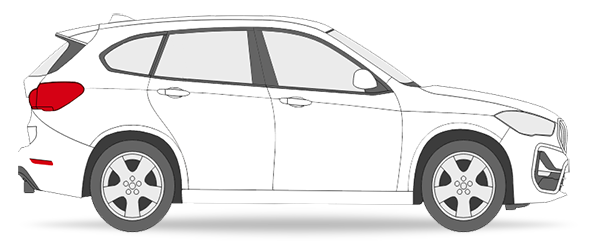
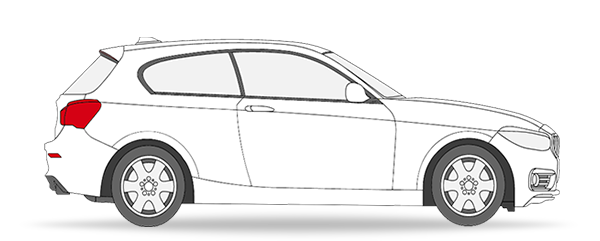
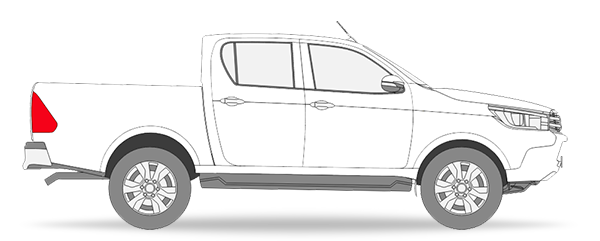
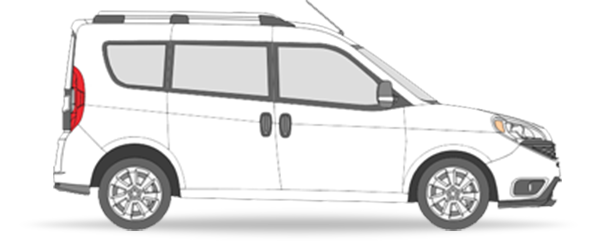
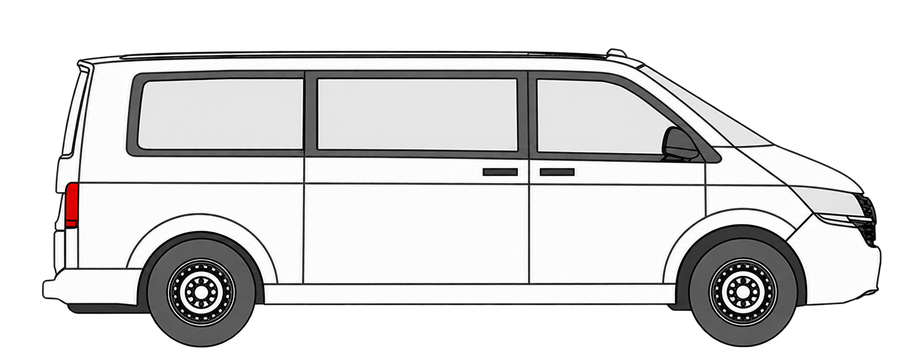
VARTAG provides bodywork views for 18 vehicle types. Alongside sedan, SUV, hatchback, coupe and pick-up options, it supports minivan and van layouts with different door, tailgate and sliding-door arrangements. Inspectors can use a diagram suited to the body shape to record paintwork, replaced panels, dents and other findings.
Can paintwork, dents and damaged panels be marked?
Yes. The bodywork module records original, repainted, locally repainted, replaced, refitted, reworked, damaged and plastic panels. More detailed findings such as dents, wraps, scratches and touch-ups can be linked to specific locations. Colour-coded markings are included in the report to help customers understand the findings.
How many views does the bodywork report provide?
VARTAG supports five main views: right, left, top, front and rear. Appropriate diagrams reflect each vehicle’s door and body arrangement, allowing findings to be shown in their actual position rather than only in text.
What does 1,000-point bodywork inspection mean?
VARTAG’s 1,000-Point Bodywork feature provides around 1,000 annotation locations for detailed findings. Local paintwork, dents, wraps or damage can be associated with a precise position rather than just a panel name. It does not mean that 1,000 physical tests are performed automatically; it is a digital tool for recording an inspector’s findings.
How are local paintwork and dents added to a report?
Select the relevant panel or point on the digital bodywork diagram. VARTAG provides different views for 18 vehicle types and precise annotation locations. The inspector assigns a colour and status, which appears visually in the report. This records a professional finding; it does not replace paint measurements or physical inspection.
Are there different templates for sedans, SUVs, pick-ups and vans?
Yes. VARTAG offers bodywork views for 18 vehicle types, including sedans, SUVs, hatchbacks, coupes, pick-ups, minivans and vans. Minivan and van layouts vary by doors, tailgates and sliding doors. Choosing the correct vehicle type makes paintwork, replacement and damage findings easier to understand.
Can different inspection packages have different scopes?
Yes. Businesses can create packages and configure bodywork, engine, mechanical and electronic sections around the services provided. Basic and comprehensive packages can contain different checks, with reports reflecting the selected scope. Packages must not imply that tests were performed when they were not.
How is a VARTAG inspection report created?
The workflow begins with vehicle intake and registration of its details. Findings are entered into the bodywork, engine, mechanical and electronic sections included in the package. VARTAG transfers them to the business’s report layout. Reports can be shared as a PDF or link and stored in the archive. The inspecting professional remains responsible for the accuracy of the tests.
Does VARTAG support engine, mechanical and electronic records?
Yes. VARTAG records and reports engine, mechanical and electrical/electronic checks as well as bodywork findings. Sections can be adapted to the service package and report design. The software collects and reports professional findings; it does not perform physical tests itself.
How can reports be sent to customers?
Reports can be shared as PDFs, while report links can be sent via SMS or WhatsApp. A QR code lets customers access the digital report from a printed copy. Sharing and access depend on installation and usage settings. Current VARTAG plans include unlimited SMS without an additional per-message charge.
Can reports be prepared in other languages?
Yes. VARTAG supports multilingual reports for international customers and businesses. Confirm the currently supported languages and translation coverage for each report field in the demo.
How many report templates does VARTAG provide?
The product page lists more than 20 inspection report templates. Businesses can choose layouts suited to their colours, logo, inspection sections and packages. The templates are designed to produce clear, professional reports for different customer needs.
Can I access previous inspection reports again?
Yes. The report archive stores past inspections for later review, helping with customer service and record keeping. Retention periods, access permissions and data protection are governed by the applicable subscription and contract terms.
Can inspection businesses use branded report designs?
Yes. Alongside standard templates, layouts can be customised with your logo, colours, inspection headings and packages. This supports an independent centre’s identity and consistent reporting across franchise networks. Discuss design options and bespoke requests during the demo.
What does a report’s QR code do?
The QR code connects a printed report to its digital record. It helps customers access the relevant report, but does not by itself represent official approval or independent verification. Sharing settings and access permissions remain important.
How do digital reports benefit an inspection business?
Digital reports organise findings, simplify customer sharing and make past records easier to review. VARTAG combines visual bodywork annotations, engine and electronic assessments and branded layouts. QR and PDF options improve access. Accuracy still depends on professional inspection and complete data entry.
Which features are unlimited in VARTAG plans?
Current subscriptions describe unlimited inspection reports, QR reports, SMS and registration document scanning. Unlimited use is part of the subscription; it does not mean the service is free or independent of a plan. Review technical and contractual terms before purchase.
How much does VARTAG inspection software cost?
VARTAG offers subscriptions with different durations. As prices, promotions and VAT terms may change, refer to the current VARTAG product and pricing page for the latest amounts. Assess the scope of SMS, registration scanning, reports and any bespoke development alongside the price.
Is SMS unlimited in VARTAG?
Yes. Current inspection subscriptions include unlimited SMS for customer updates and report links within the plan price, with no separate per-message credit charge stated. Messages must comply with applicable rules, permissions and service terms.
Is registration document scanning unlimited?
Yes. Current plans include unlimited extraction of vehicle information from registration images within the subscription, without a separate per-scan fee stated. Review the extracted details before completing the process, as accuracy may depend on image quality.
How should I calculate the total cost of inspection software?
Include subscriptions, per-report fees, SMS credits, scanning credits, user counts, branch licences and any bespoke development. VARTAG’s current plans describe unlimited reports, SMS and registration scanning. Compare proposals on equivalent durations, VAT terms and contractual scope.
Is there a charge per vehicle?
Pricing varies between providers; some charge for reports, messages or operations in addition to a subscription. VARTAG’s current description includes unlimited reports, SMS and registration scanning, with no separate per-operation fee stated for those features. Confirm current terms before purchase.
How should I compare monthly and annual subscriptions?
Compare duration, report limits, SMS, registration scanning, users and support, not only the total price. VARTAG offers different subscription durations. Check the latest prices, periods and VAT details in the official pricing section, then choose according to your operating volume.
Does VARTAG support franchise and branch management?
Yes. VARTAG provides central management tools for multi-branch inspection businesses and franchise networks. Users and operations can be monitored within one management structure, with permissions defining each user’s or unit’s access. Ask for a demonstration of your network’s management scenarios.
Can VARTAG track appointments and inspection work orders?
Yes. Schedule appointments, create a work order for each vehicle and follow the inspection in stages. Calendar, reminders and communication tools support daily operations, from vehicle intake to report delivery.
What can the day-to-day accounting module manage?
VARTAG provides bookkeeping and customer account tools for everyday financial operations. Inspection businesses can manage their financial records alongside inspections in the same system.
Customer account tracking: Create a separate account for each customer and track purchases, sales, debits, credits, current balances and previous transactions.
Outstanding customer balances: View customers who owe the business in one list, with organised tracking of amounts due and collections.
Income and expense management: Record inspection income, collections, payments and day-to-day financial movements.
Company expenses: Record rent, utilities, internet, staffing and other business costs to monitor operating expenses.
Centralised bookkeeping: Manage customer accounts, debtor lists, income, expenses and company costs in the same software.
VARTAG’s accounting tools support daily financial tracking. They do not replace statutory accounting, tax returns or other legal accounting obligations.
Can inspection software track accounts and receivables?
Some inspection systems only generate reports, while others include management tools. VARTAG manages customer balances, cash movements, income, expenses and payment types through its bookkeeping module. This can reduce manual transfers between applications. Separate systems may still be required for statutory accounting obligations.
How can customer and vehicle histories be tracked?
Reports linked to vehicles and customers can be archived. VARTAG’s archive provides access to past inspections, and its accounting module supports customer account records. Authorised users can review earlier entries. Retention periods, access rights and personal data protection should be assessed under the business’s data policies.
Can inspection packages and sections be customised?
Yes. VARTAG lets businesses create packages aligned with their services and choose the inspection sections included in each one.
Each main inspection section can be marked as included or excluded. Create bodywork-only, engine-only or electronics-only packages, or combine several sections in a comprehensive package.
The 13 main inspection sections are: Bodywork and paint; engine performance; suspension; brakes; side slip; engine compartment; combustion chamber; underbody mechanical checks; road test; electrical and electronic systems; airbags; interior equipment; and exterior equipment.
For example, create a basic bodywork and paint package, a separate engine and mechanical package, or a comprehensive package covering every section.
VARTAG packages are configurable rather than fixed. Businesses choose sections to match their services and update them as requirements evolve, producing reports suited to their own operations.
Can a new inspection centre start with VARTAG?
VARTAG supports digital intake, reports, customer records and daily operations for new independent centres. Reports can carry your logo and colours. Discuss setup, training, equipment compatibility and initial package configuration during the demo.
Can I access VARTAG from phones, tablets and computers?
Yes. As a web-based system, VARTAG is designed for desktop, tablet and mobile access. Intake, inspection records and report tracking can be handled from suitable devices. The experience may vary with the browser, connection and screen size.
Can employees have separate permissions?
Yes. Role-based permissions control which functions employees can access. Login and activity histories include user and time information. The product also describes two-factor authentication, failed-login monitoring and IP blocking.
Can I try VARTAG before purchasing?
The product offers a 7-day demo. Use real workflows to assess intake, bodywork annotations, inspection records, branded reports, permissions and relevant modules. Confirm current demo access and terms with VARTAG.
How are software updates delivered?
The product page lists software updates within all subscriptions. The web-based architecture enables central delivery. Confirm update frequency, new-module scope, scheduled maintenance and notifications before purchase, as no fixed timetable is stated. Distinguish standard product features from bespoke development when requesting changes.
How is data security addressed in cloud inspection software?
Assess encrypted connections, user-specific access, session management, backups and activity logs together. VARTAG lists SSL, two-factor authentication, permissions, activity history and automatic backups. No single feature guarantees absolute security. Businesses should also review access policies, retention and personal data compliance.
What support, setup and training does VARTAG provide?
Confirm support, setup and training scope directly with VARTAG before subscribing. Staff numbers, branch structure and report requirements may affect delivery. Agree support channels, response times, updates and bespoke development charges in writing during the demo discussion.
Can VARTAG be used only for bodywork and paint inspections?
Yes. Create a package containing only bodywork checks, without engine, mechanical or electronic sections. VARTAG provides 18 vehicle types, around 1,000 annotation points and records for repainting, local paintwork, replaced panels, dents and damage. Reports can carry your logo and colours.
Can VARTAG be used only for engine and mechanical inspections?
Yes. Define a package consisting solely of engine and mechanical sections. Include the engine, transmission, brakes, suspension, alignment and other mechanical checks according to your services. Findings are recorded digitally and can form a branded engine and mechanical report.
Can VARTAG be used only for electronic diagnostics?
Yes. Configure an electronics-only package without bodywork or engine checks. Record electrical systems, airbags, electronic equipment and fault assessments within the selected scope. Reports can be archived digitally and shared with customers.
Which OBD and electronic fault checks can be recorded?
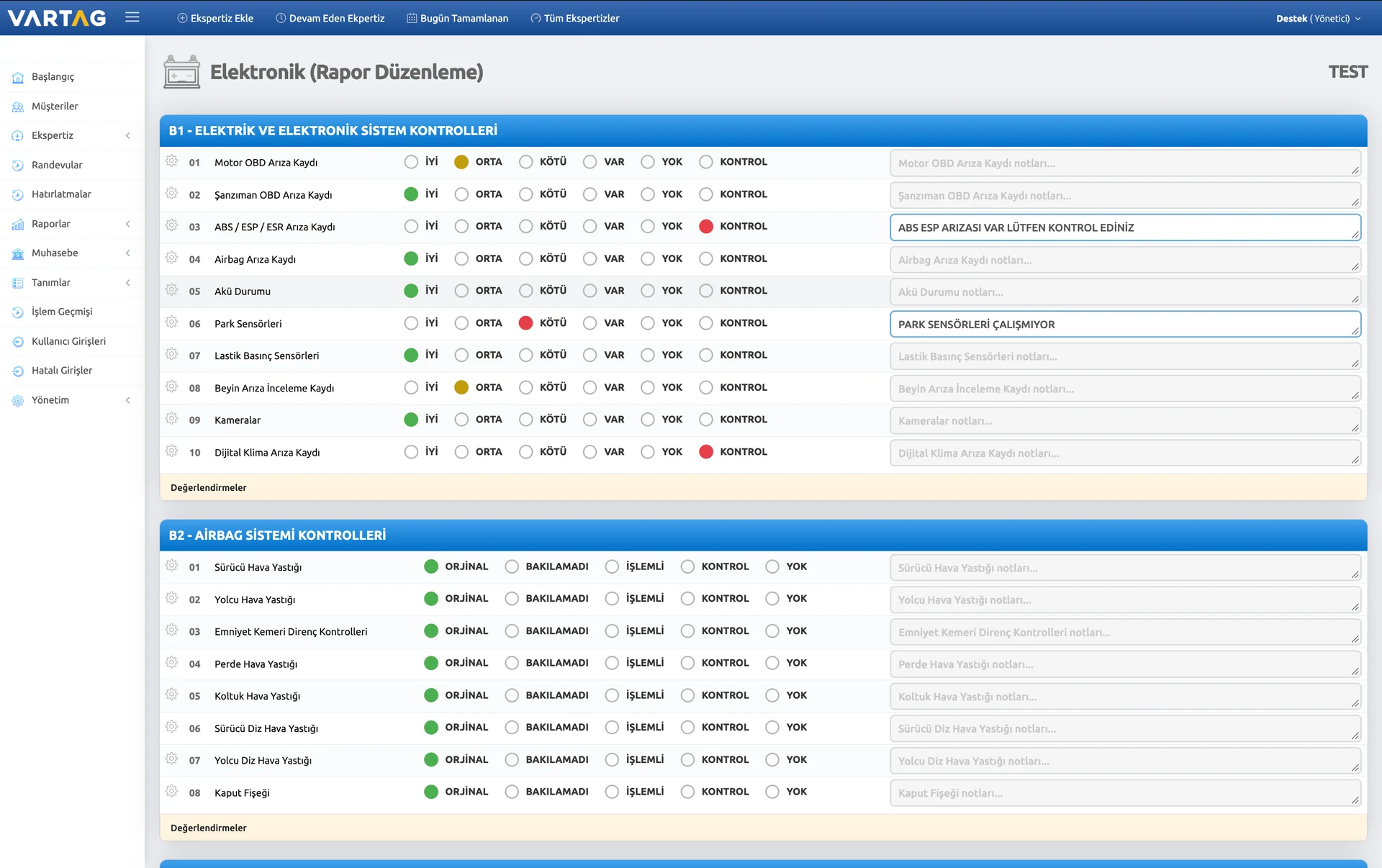
VARTAG records, organises and transfers On-Board Diagnostics (OBD) findings for electrical and electronic systems into digital inspection reports.
Examples of the 10 OBD-related inspection fields include:
- Engine OBD fault record
- Transmission OBD fault record
- ABS / ESP / ESR fault record
- Airbag fault record
- Battery condition
- Parking sensors
- Tyre pressure sensors
- ECU fault assessment record
- Cameras
- Digital climate control fault record
Inspectors can enter diagnostic equipment results, add notes and include them in branded inspection reports through VARTAG.
Inspection fields and packages are configurable. These checks are examples; businesses may choose different fields and update them over time.
Businesses offering only electronic inspection services can also use VARTAG with their own dedicated packages.
What airbag and restraint checks can be recorded?
VARTAG records airbag and restraint system findings digitally and includes them in inspection reports.
Example inspection fields: Driver, passenger, curtain and seat airbag checks, together with seat belt resistance checks.
Headings and packages can be customised to business needs; these example fields may change over time.
Which interior equipment and condition checks are available?
VARTAG digitally records and reports interior equipment and cosmetic findings.
Example inspection fields: Headlining, floor trim, dashboard, seats, sunroof, sun visors, multimedia, gear console, boot trim, instruments, indicator stalks, brake/clutch/accelerator pedals, cabin lighting, door trims and seals, air vents, window switches, steering-wheel buttons, seat belt buckles and seat mechanisms.
Headings and packages can be customised to business needs; these example fields may change over time.
Which exterior equipment and condition checks are available?
VARTAG records exterior equipment and cosmetic findings and displays them in inspection reports.
Example inspection fields: Tyres, wheels, door mouldings, glass, mirrors, wipers, headlights, rear lights, fog lights, grille, aerial, central locking, headlight washers, horn, lighting, LEDs, trim strips, indicators and wheel-arch liners.
Headings and packages can be customised to business needs; these example fields may change over time.
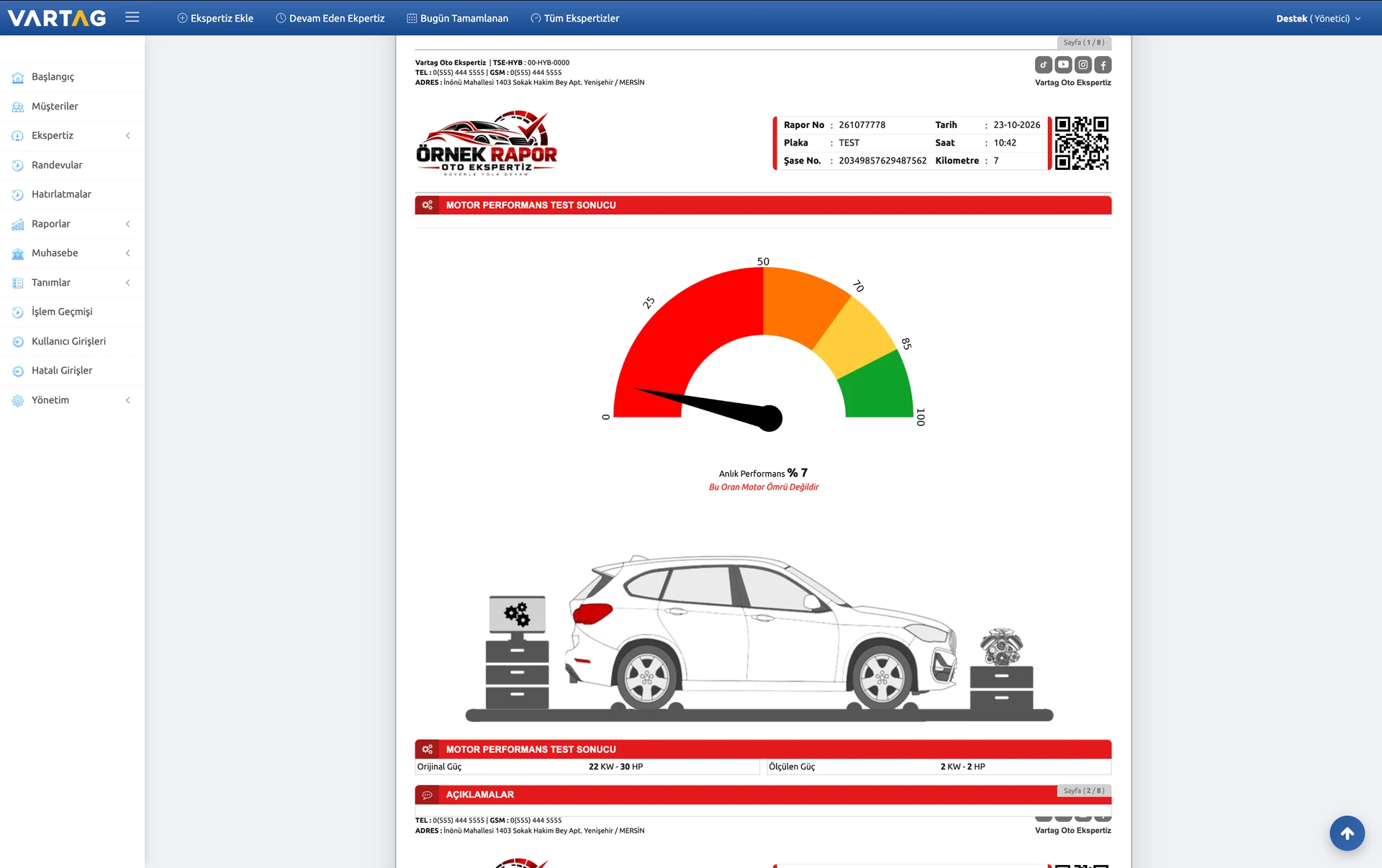
What information is recorded in an engine performance test?
VARTAG supports digital recording and reporting of engine performance measurements and vehicle mileage.
Example measurement fields: Original engine output (kW/HP), measured output (kW/HP), current performance percentage and mileage. Suitable test equipment performs the measurements; VARTAG records and reports the results.
Headings and packages can be customised to business needs; these example fields may change over time.
What does the suspension test section include?
VARTAG records results from suspension test equipment and includes them in the inspection report.
Example inspection fields: Front-right, rear-right, front-left and rear-left suspension results.
Headings and packages can be customised to business needs; these example fields may change over time.
What does the brake test section include?
VARTAG digitally records brake findings and available equipment measurements for reporting.
Example inspection fields: Front-right, rear-right, front-left and rear-left brakes; parking brake; and front and rear brake imbalance values.
Headings and packages can be customised to business needs; these example fields may change over time.
What does the side-slip test section include?
VARTAG includes side-slip test results in inspection reports.
Example inspection fields: Front and rear axle side-slip test results, measured with suitable equipment.
Headings and packages can be customised to business needs; these example fields may change over time.
Which engine compartment findings can be recorded?
VARTAG brings engine, transmission, fuel, cooling and related system findings together in a digital report.
Example inspection fields: Engine oil level and upper leaks; coolant condition and leaks; turbo intercooler; turbo whine; exhaust smoke; blow-by; auxiliary belts and tensioners; timing belt; fuel injection; engine noise; ignition; brake fluid; rocker cover and wiring; air filter housing; radiator, air-conditioning and intercooler cores; radiator fans; cabin heating and cooling.
Headings and packages can be customised to business needs; these example fields may change over time.
Can VARTAG record combustion chamber and gasket leak checks?
Yes. VARTAG digitally records the inspector’s combustion chamber leakage assessment and includes it in the report.
Example field: Combustion chamber leakage can be recorded as None, Slight or Present. Physical testing is performed with suitable inspection equipment.
Headings and packages can be customised to business needs; these example fields may change over time.
Which underbody and alignment checks can be recorded?
VARTAG reports findings relating to the underbody, brakes, suspension, steering and drivetrain.
Example inspection fields: Lower engine and transmission oil leaks; differential and prop shaft; exhaust and particulate filter; engine undertray; steering rack; brake hoses, discs and pads; wheel bearings; drive shafts and boots; crankshaft seals; fuel tank; steering rods and ends; ball joints; control arms and bushes; axle bushes; shock absorbers, springs and mounts; sump; front/rear suspension noise; and transmission housing.
Headings and packages can be customised to business needs; these example fields may change over time.
Can road test findings be added to the report?
Yes. The inspector can record observations in VARTAG’s notes field and present them according to the selected report design and inspection package.
Headings and packages can be customised to business needs; these example fields may change over time.
Which vehicle and bodywork layouts are supported?
VARTAG provides diagrams for passenger vehicles, minivans and vans, reflecting different door, tailgate and sliding-door arrangements.
Passenger vehicles: Sedan, SUV, hatchback, coupe and pick-up. Minivan layouts: 4 doors–1 tailgate, 3 doors–1 tailgate, 2 doors–1 tailgate, 4 doors–2 rear doors, 3 doors–2 rear doors and 2 doors–2 rear doors. Van layouts: No sliding door with one or two rear doors; one sliding door with one or two rear doors; or two sliding doors with one or two rear doors.
The current published list contains 17 named options ; an eighteenth name has not been added without verification. Templates and check options may change over time.
Which bodywork parts can be assessed?
VARTAG groups bodywork findings by right, left, top, front/rear, chassis/aprons and pillars.
Examples of right- and left-side panels: Front and rear wings, front and rear doors, sills, windscreen pillars and upper structural rails. Top: Bonnet and roof. Front/rear: Boot lid, bumpers and boot floor panel. Chassis/aprons: Front and rear chassis rails and right/left aprons. Pillars and structural areas: Reinforcement panels, front and centre pillars, door steps, latch strikers, front/rear panels and bumper reinforcements.
Headings and packages can be customised to business needs; these example fields may change over time.
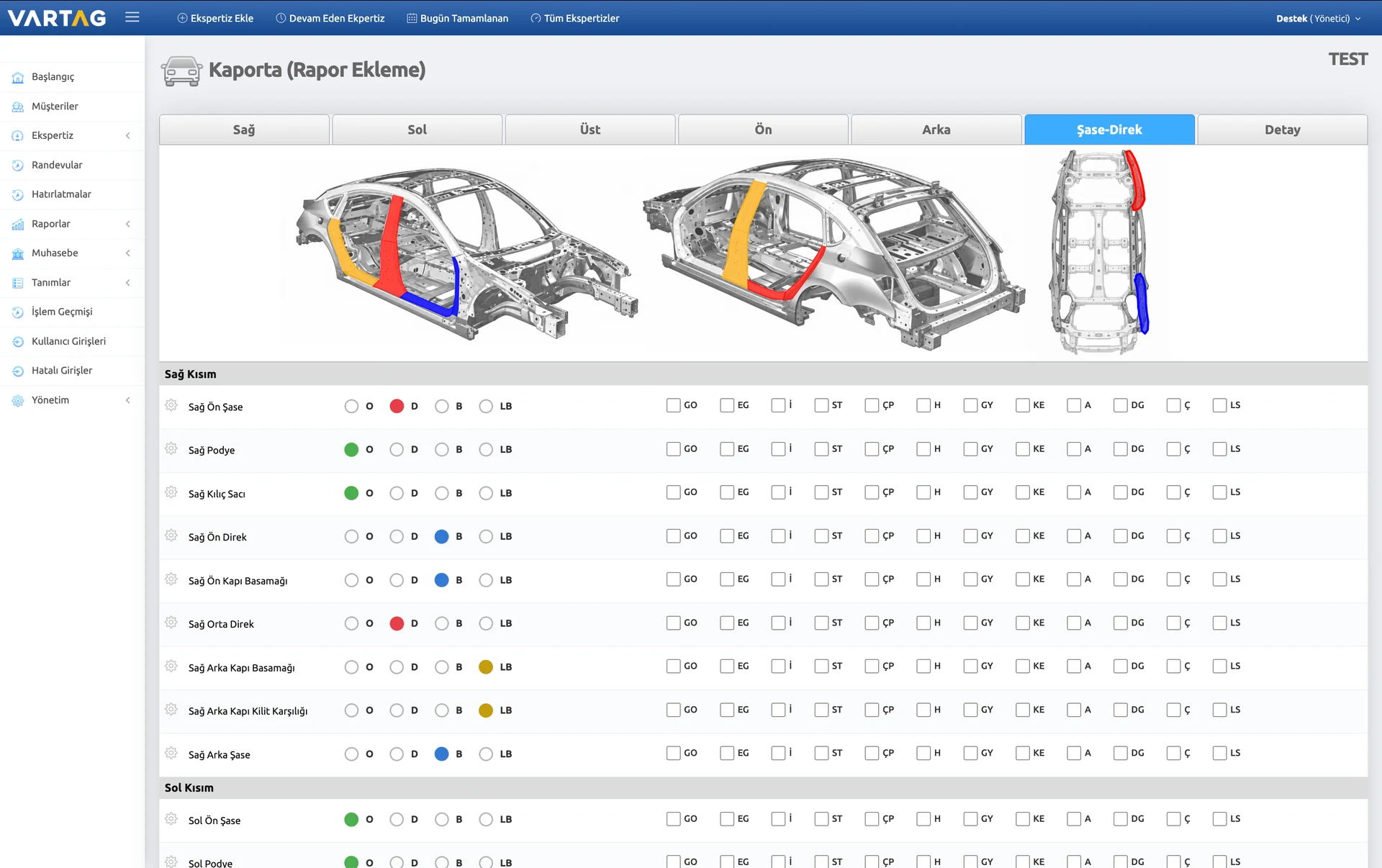
Can chassis, apron and pillar checks be shown separately?
Yes. VARTAG supports separate assessment and reporting of chassis, aprons, pillars and other structural bodywork parts alongside exterior panels.
Chassis/apron areas: Right/left front chassis rails, right/left rear chassis rails and right/left aprons. Pillars and related areas: Right/left front and centre pillars, reinforcement panels, door steps, latch strikers, front/rear panels and bumper reinforcements. Findings can include original, repainted, replaced, damaged or reworked.
Headings and packages can be customised to business needs; these example fields may change over time.
Which bodywork status codes are available?
VARTAG supports short codes for recording bodywork and paint findings in reports.
Status codes: O – Original; D – Replaced; B – Repainted; LB – Locally repainted; P – Plastic; F – Wrap; GO – Dent repair; EG – Dent; İ – Reworked; ST – Removed/refitted; ÇP – Used replacement; H – Damaged; GY – Sun damage; KE – Cut/joined; A – Adjusted; DG – Hail dent; Ç – Scratch; LS – Staining/fading; YB – Half repainted; İB – Thin paint; YD – Partially replaced; V – Clear coat; DF – Deformed. R also appears in the list, but this passage does not assign a meaning pending clarification.
Headings and packages can be customised to business needs; these example fields may change over time.
How are repainting, replacements, local paintwork and damage marked?
Inspectors mark findings by clicking the relevant area on the vehicle diagram. Point-level annotations show a specific damage or repair location rather than treating the entire panel as one finding.
Example annotations: Repainted, locally repainted, plastic, replaced, dented and dent-repaired areas. Supported diagrams offer more than 1,000 annotation locations; these are visual positions, not a count of physical tests.
Headings and packages can be customised to business needs; these example fields may change over time.
Can VARTAG find past reports automatically by VIN?
Yes. When a VIN is entered, VARTAG checks its accessible records for earlier reports with that number and displays any matches to the user.
Inspectors can compare earlier bodywork, engine, mechanical and electronic findings with the current inspection. This supports review and may reduce error risk, but an old report does not replace a new inspection. Availability depends on stored records and permissions.
Can franchisees see each other’s inspection reports?
Yes, when authorised. Headquarters can configure report visibility so selected franchisees can view other branches’ reports, or restrict each branch to its own records while headquarters retains access to all reports.
The archive can therefore follow the brand’s information-sharing and access policies.
Can all franchise locations be managed centrally?
Yes. Headquarters can use VARTAG’s central dashboard to track franchise information, inspections, reports and workflows in one place.
Headquarters can retain all management rights or delegate selected actions to franchise managers and staff. Permissions can reflect the organisation’s structure.
Can franchise fees and balances be managed per inspection?
Yes. Headquarters can define a fixed fee or percentage for each inspection and deduct the amount from the franchisee’s balance according to the configured rule.
If a franchisee has insufficient balance for a new inspection, the system prevents creation of the record until the balance is sufficient again. Headquarters can monitor balances and transactions centrally.
This is separate from VARTAG’s unlimited-report subscription: a customer operating a franchise network may independently charge its own franchisees per inspection.
Can user actions, logins and staff permissions be monitored?
Yes. User management, activity logs and permissions help inspection businesses monitor staff access and system activity.
User activity history: User actions can be recorded so authorised staff can identify who performed an operation and review earlier activity when needed.
Login records: See when and how users signed in and follow staff login histories.
Failed login detection: Review unsuccessful attempts to identify unusual activity and support account security.
Detailed user permissions: Define each user’s visible sections and permitted actions by role. Inspectors, reception staff, branch managers and headquarters teams can have different access levels.
Central user management: Organise access and permissions across branches around your organisational structure, supporting staff oversight, traceability and operational review.
THE RIGHT TOOL FOR EVERY TASK
From Inspection to Management. Every Feature You Need.
Explore every module, from bodywork inspection and reporting to business management and user security.
01General features
- Cloud technology and automatic backups
- User permissions and SSL
- Unlimited inspection packages
- Vehicle image uploads
- Modular, extensible architecture
- 3,100+ vehicle makes and models
- SMS notifications
- Franchise management
- Registration document scanning
- QR-enabled reports
02Bodywork
- 18 vehicle types
- Right, left, top, front and rear views
- Mark replaced, repainted and plastic panels
- Dents and locally repainted areas
- Refitted, wrapped, reworked and damaged panels
- Scratches and hail dents
- Dent repairs
- Staining, fading and touch-ups
03Engine and mechanical
- Engine performance calculation and testing
- Engine compartment checks
- Brake and suspension tests
- Side-slip test
- Underbody checks
- Combustion chamber checks
04Electrical and electronic
- Electrical and electronic system checks
- Interior and exterior equipment checks
- Ready-to-use part descriptions
- Accessory and comfort equipment checks
- Airbag system checks
- Section assessments
05Inspection report
- Reports in Turkish and other languages
- Share PDF reports via WhatsApp
- Upload ECU mileage enquiry documents
- Print customer agreements automatically
- Upload mileage enquiry documents
- Upload damage history enquiry documents
06Day-to-day accounting
- Automatic customer account and receivable tracking
- Detailed cash reports
- Income, expense and company cost tracking
- Daily, weekly and annual reports
- Automatic identification of outstanding balances
- Cash, bank transfer and card transactions
07Additional services
- CS engine test
- Damage history and mileage enquiries
- Reports in other languages
- Dynamometer test
- Warranty package
- Mileage verification
08Security
- Two-factor authentication
- User login and activity tracking
- User permissions
- Failed login monitoring
- SSL security certificate
- Activity history
- Automatic user and IP blocking
09Appointments and communication
- Appointment tracking
- Calendar and reminders
- Android application
- Share reports via SMS and WhatsApp
- Inspection packages tailored to your business
GET TO KNOW THE PRODUCT
Find the right fit for your vehicle inspection business.
VARTAG Vehicle Inspection Software brings vehicle intake, inspection findings, reporting and business tracking into one workspace.
Who is it for?
For independent vehicle inspection centres, businesses with multiple branches and brands managing franchise networks. Inspection teams can record findings, while managers oversee user permissions and daily operations.
How does it work?
Create the vehicle record and work order. Record bodywork, engine and electronic inspection results. Turn the findings into a branded report and share it with your customer using a QR code or PDF.
Real report samplesHow should you compare plans?
Compare the subscription term, user access and included operations together. Current plans include unlimited reports, SMS and registration document scanning. See the current pricing section for fees and durations.
Plans and pricing